
Inspections Settings, repeatable sections, and a new Vendor Management layout
Version 1.245.4
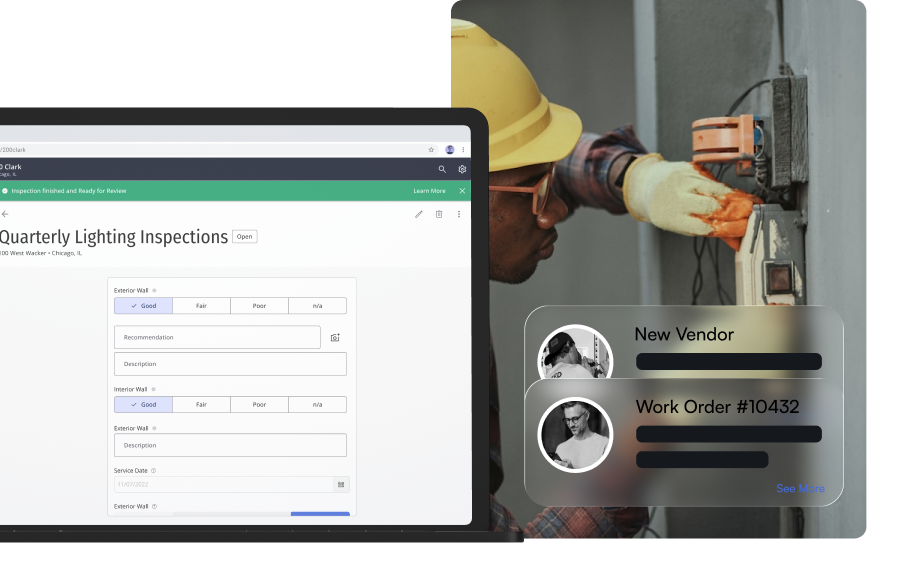
Inspections gets a Settings area for buildings, inspection types, and report defaults, all reached from the cog on the inspections list.
Sections can now repeat. A building with three cooling towers gets three named sections on the schedule instead of an inspector adding two by hand every visit, and each one shows up in the PDF.
Vendor Management moves to the Blueprint layout with a new certificate of insurance flow. Visit exports gain check-in and visitor type filters for event attendance reports.
Inspections Settings
A new Settings area, opened from the cog on the inspections list, puts buildings, inspection types, and defaults in one place. Building operators can manage each building's details, inspections, and schedules from its own page, assign forms to inspection types, and set a default disclaimer and cover image that pre-fill new buildings. Portfolio becomes a read-only view of the same buildings.
Repeatable named sections
One inspection can now hold several sections built from the same form, each with its own name, like three cooling towers or four air handlers. Set the sections up once on the schedule, then rename, duplicate, add, or remove them on site. Every section keeps its own answers, deficiencies, and sync status, and both PDF reports include all of them.
Vendor Management on Blueprint
Vendor lists, request details, and vendor create and edit move to the Blueprint layout. Certificates of insurance are added through a modal and shown as a list, with a clearer COI required toggle. Anyone who can view a request can now see its approval status, while approving and declining still need the right permission.
Fixes
- MaintenanceInspections
Fixed full inspection reports keeping only one submission per form, which dropped answers and photos from repeated units.
- MaintenanceInspections
Fixed the section header showing the form template name instead of the section's own name, and fixed a blank section loading answers from another section.
- MaintenanceInspections
Fixed Save being disabled on most existing buildings because their property type didn't match a fixed list.
- MaintenanceInspections
Fixed building image uploads failing on every attempt.
- MaintenanceInspections
Fixed the form library in the type manager always showing empty, and fixed new inspection types never appearing on any building's schedules.
- MaintenanceInspections
Fixed the Can Manage Portfolio Properties permission never taking effect, even for users who had been granted it.
- MaintenanceVendor Management
Fixed subcontractors not being removable when editing a submitted vendor request.
- AccessVisitor Management
Fixed visitor photos taken on iOS during check-in saving sideways.
- AccessVisitor Management
Fixed editing a visit overwriting who originally invited the visitor.
- ExperiencePackage Management
Fixed the package count showing only part of the packages on file.
- MaintenanceWork Orders
Fixed font rendering on the new work order screen.
 Maintenance
 Access
 Experience
Improvements
- AccessVisitor Management
Added Check-In Status and Visitor Type filters to the visit CSV export, pre-filled from what's on screen, so you can pull an event attendance report in one step.
- AccessVisitor Management
Updated visit locations to include the floor with the space name in visitor emails and calendar invites.
- MaintenanceInspections
Updated the building property type to accept any value, with suggestions from the types already in use.