
Amenity Blueprint layouts and custom navigation labels
Version 1.237.0
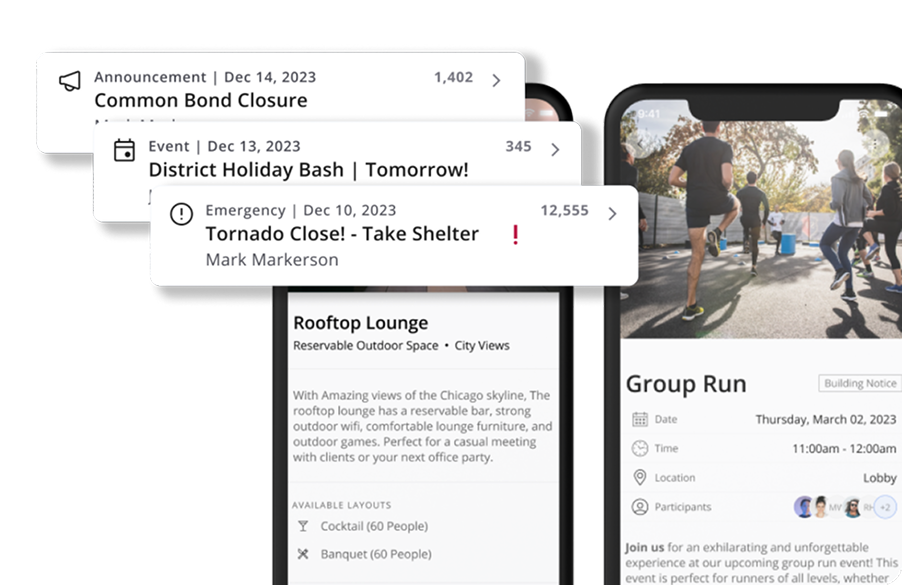
Amenity reservations join Parking and Building Model on Blueprint this week, and custom left-nav names now carry through the rest of the app.
Amenity reservation layouts, the payment picker, and bike room access all move to the new UI. A left-nav item renamed by an admin now shows that name in the page heading, breadcrumbs, and tab title instead of just the sidebar.
Visitor management picks up several fixes this week, from clearance delete handling to the Host Name and Host Groups filters. Mass notification templates, amenity labeling, company spaces scrolling, and temperature control styling round out the release.
Amenity reservations move to Blueprint
Amenity reservation layouts, the payment picker, and bike room access all move to Blueprint, continuing the rollout started with Parking and Building Model.
Custom left-nav names sync everywhere
A custom name set on a left-nav item now carries through to the page heading, breadcrumbs, and browser tab title, so renamed modules read consistently across the app (ENG-2245).
Fixes
- ExperienceVisitor Management
Clearance delete now soft-fails after a cancel instead of erroring (ENG-2105), the Host Name dropdown shows company users on first open (ENG-2206), the Host Groups filter uses the correct view-scoped company list (ENG-2208), and check-in status filtering no longer skips a result (CUS-392).
- ExperienceMass Notification
Add Template no longer fails after selecting a category.
- ExperienceAmenity Management
"Reservable by tenants" label now reads "Reservable" for clarity.
- ExperienceCompany Spaces
Tree-select no longer gets stuck and unable to scroll (ENG-2201).
- MaintenanceTemperature Controls
Primary-button styling no longer leaks onto the back button (ENG-1974).
 Experience
 Maintenance
Improvements
- AccessRoles & Personas
Access-profile links retry on a UserBuilding sync race, duplicate templates and role-less rows are removed from the template editor, and a grantable FloorPlan.View permission is added to module 24.
- MaintenanceWork Order Configuration
Notification and escalation dialogs, plus type and subtype UI, get fixes for clearer setup.
- ExperienceBuilding Setup
Building Details renames "Building Tenants" to "Building Groups" for consistency.
 Access