Visitor Management System for Offices: How Class A Buildings Run the Lobby
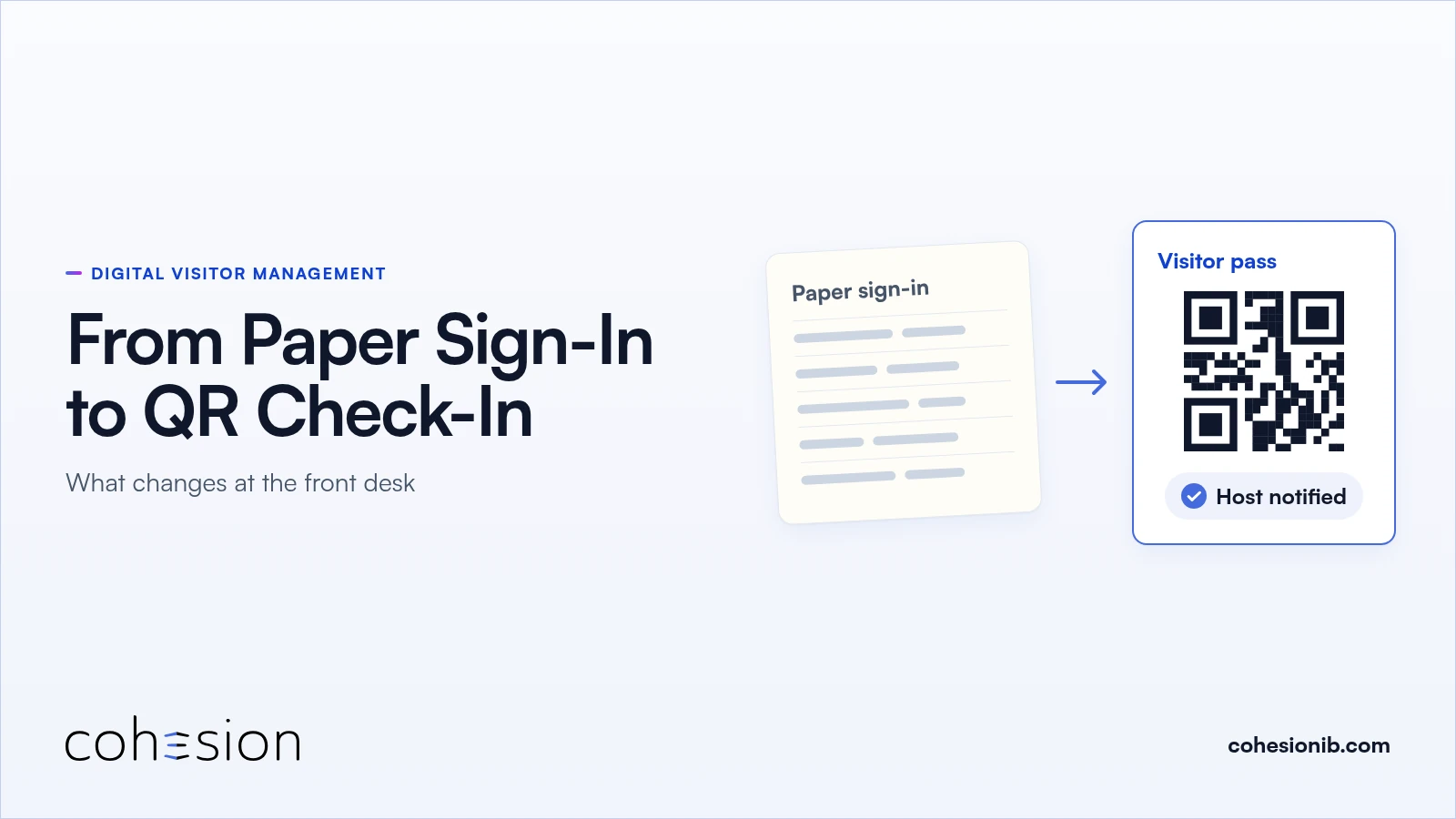
A visitor management system for offices, run from the lobby out: tenant invites, a QR pass by email or text, turnstile and floor access, and one visit log.
Schedule a Call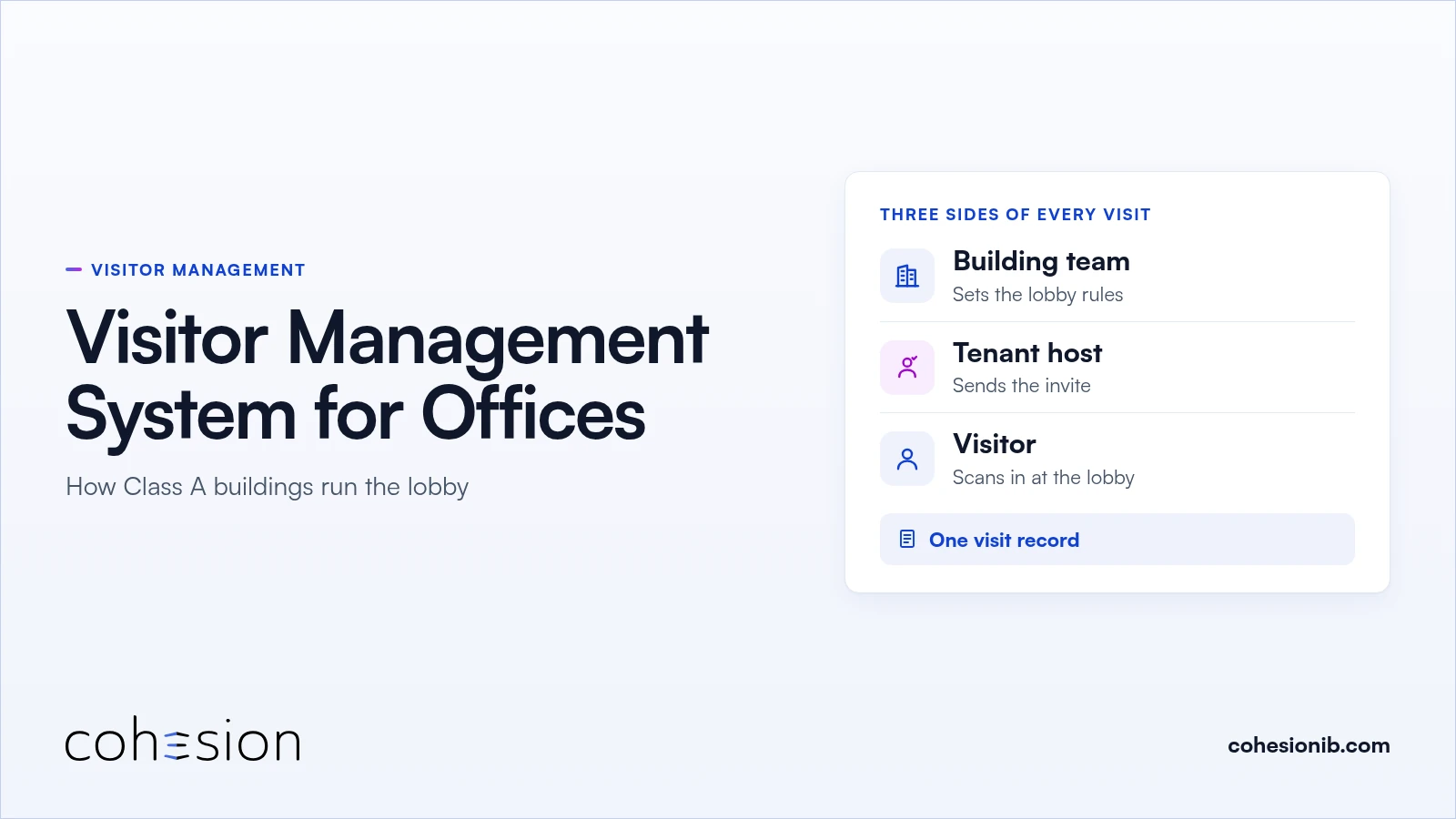
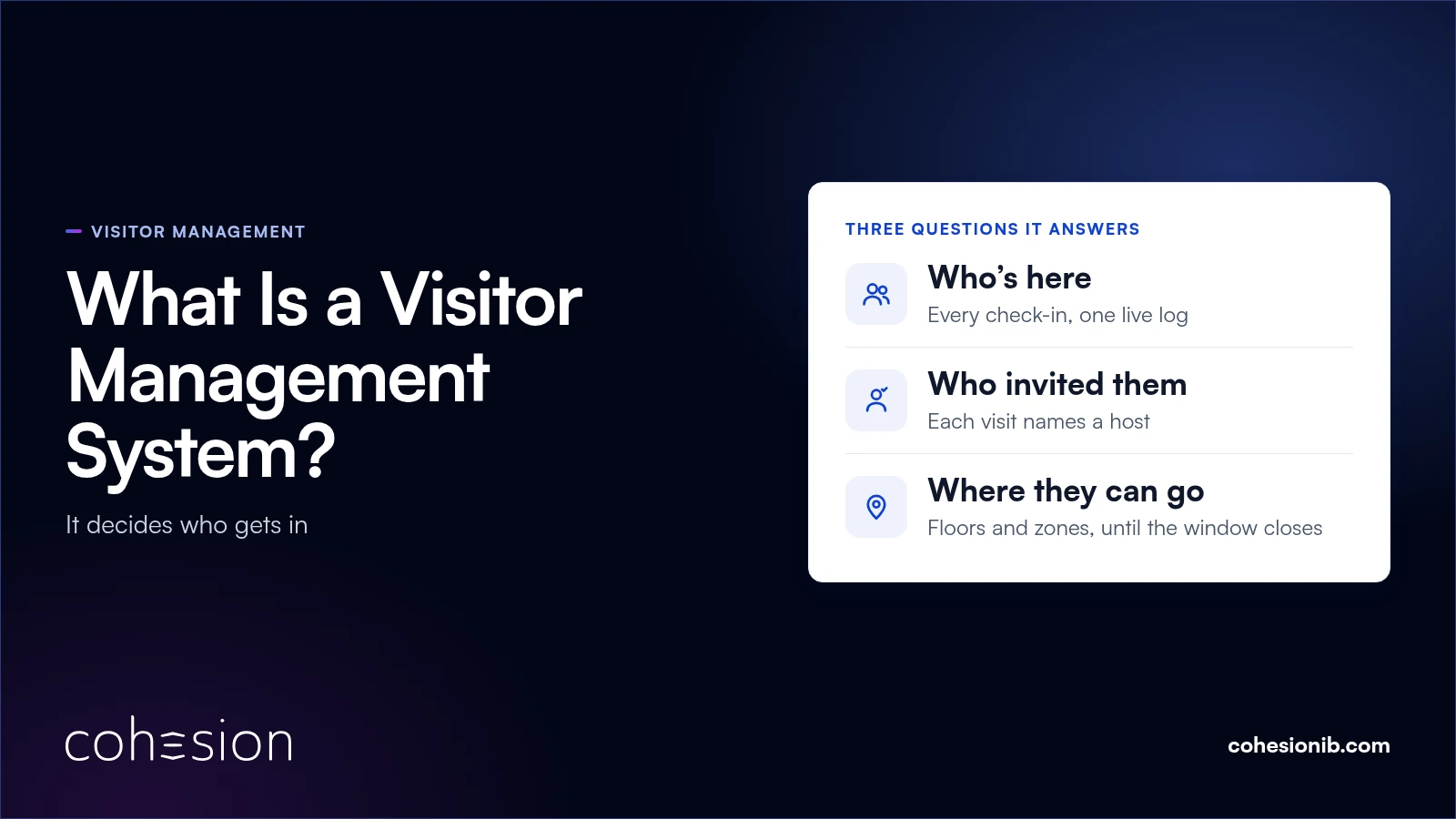
A visitor management system for offices registers each guest a tenant invites, checks them in at the lobby, and opens the door, turnstile and floor the visit was cleared for, on the building's existing access control.
In a Class A multi-tenant building, the building team and the tenant host work from the same visit record.
A vendor checks in at the loading dock with ID, photo and waiver captured at reception. A few minutes later, a tenant's VIP scans a QR code at the front entrance and walks straight to the elevator.
Both visits run through the same lobby. Three groups have a hand in each one: the building team that runs the base building, the tenant host who sent the invitation, and the visitor who expects a Class A arrival.
This guide walks an office visit through all three. If you'd like the basics of the category first, start with what a visitor management system is.
How a Class A office receives visitors
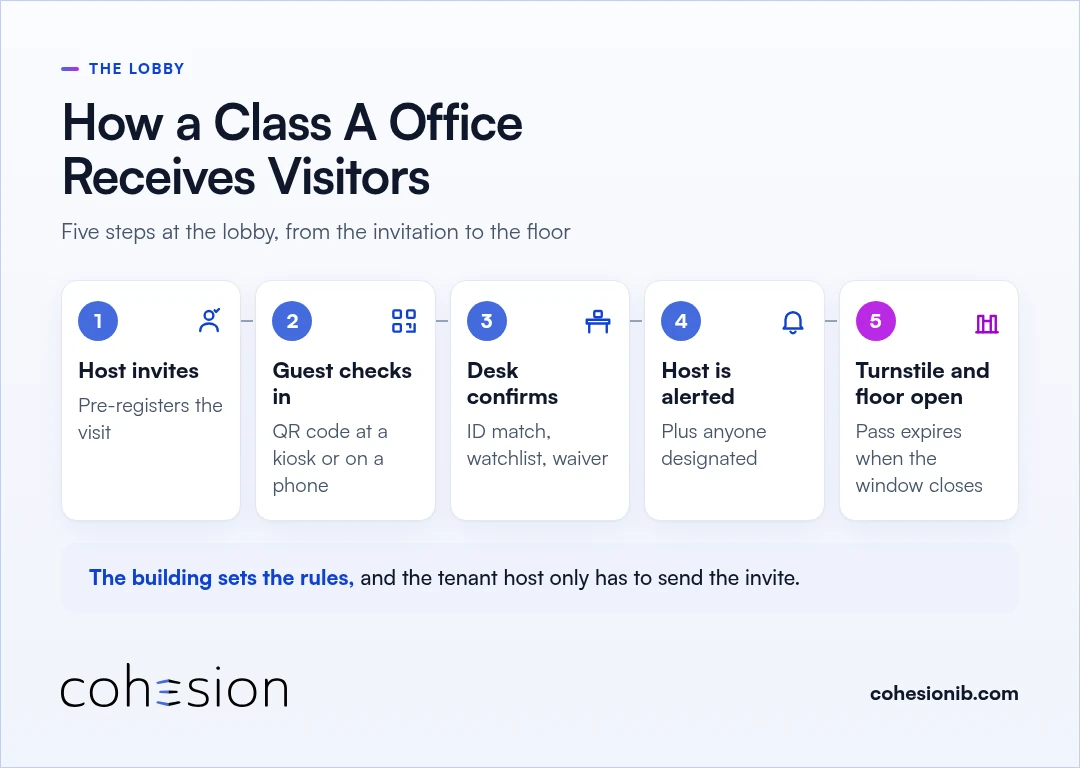
A Class A office receives visitors in five steps at the lobby, from the tenant's invitation to the floor. The building sets the rules, and the tenant host only has to send the invite.
- The tenant host invites the guest. The host pre-registers the visit, and the guest receives arrival details and a QR code by email or text.
- The guest checks in at the lobby. They scan the QR code at a self-service kiosk or on their own phone, or the front desk checks them in through a web-based flow.
- The front desk confirms the visit. Where the building requires it, a connected scanner reads the guest's driver's license or passport and matches it to the visit on file. The name is also screened against the watchlist at check-in, and the guest signs any required waiver.
- The host hears the guest has arrived. Check-in automatically alerts the host, plus anyone else designated for the visit, so nobody is left waiting by the turnstiles.
- The turnstile and the floor open. The same QR code opens the turnstile and the floor the visit was cleared for, and the pass expires when the visit window closes.
Three sides of every office visit
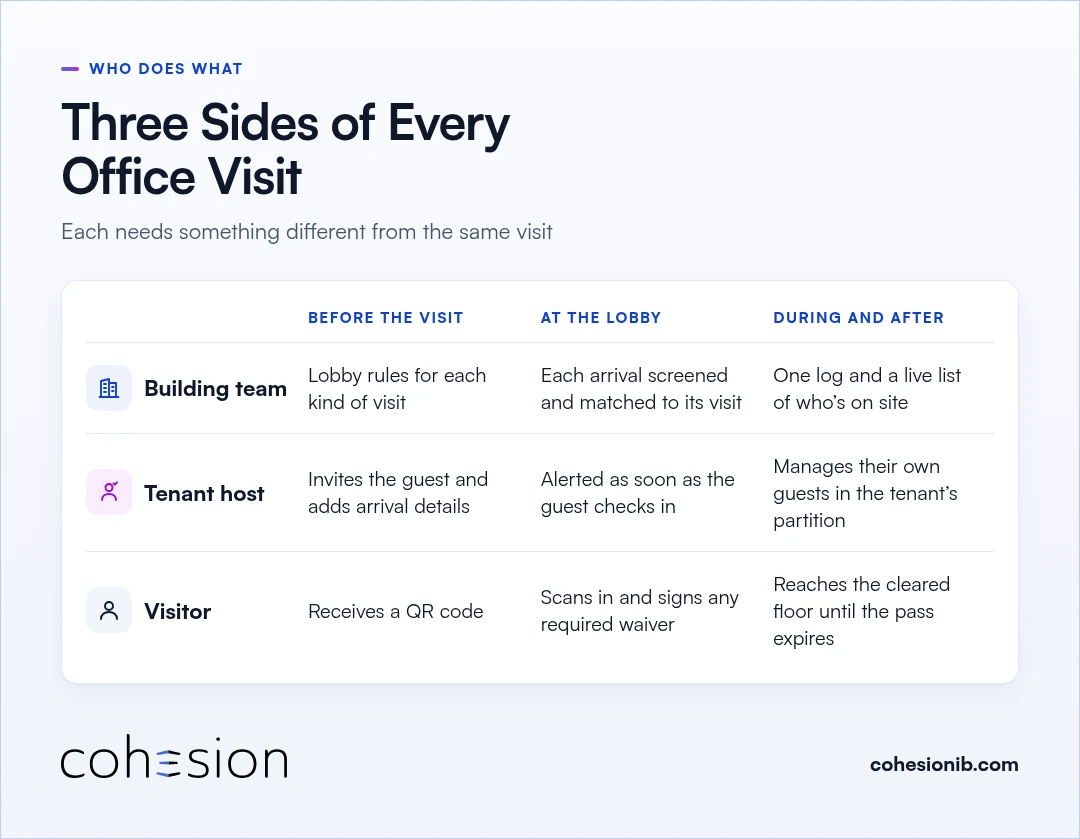
Each step belongs to someone. In a multi-tenant office, the work splits across the building team, the tenant host and the visitor, and each of them needs something different.
| Before the visit | At the lobby | During and after the visit | |
|---|---|---|---|
| Building team | Has the lobby rules in place for each kind of visit | Sees each arrival screened against the watchlist and matched to its visit | Keeps one log of every visit and a live list of who's on site |
| Tenant host | Invites the guest and adds arrival details | Is alerted as soon as the guest checks in | Manages their own guests inside the tenant's partition |
| Visitor | Receives a QR code by email or text | Scans in and signs any required waiver | Reaches the floor they were cleared for until the pass expires |
Running the lobby as the building team
For the property manager and the front desk, manual check-in is often what slows lobby flow. When each guest has to be looked up by name, checked and sent to the right floor, a line can form at the desk, especially at busy times. Pre-registration moves much of that work to before the guest walks in.
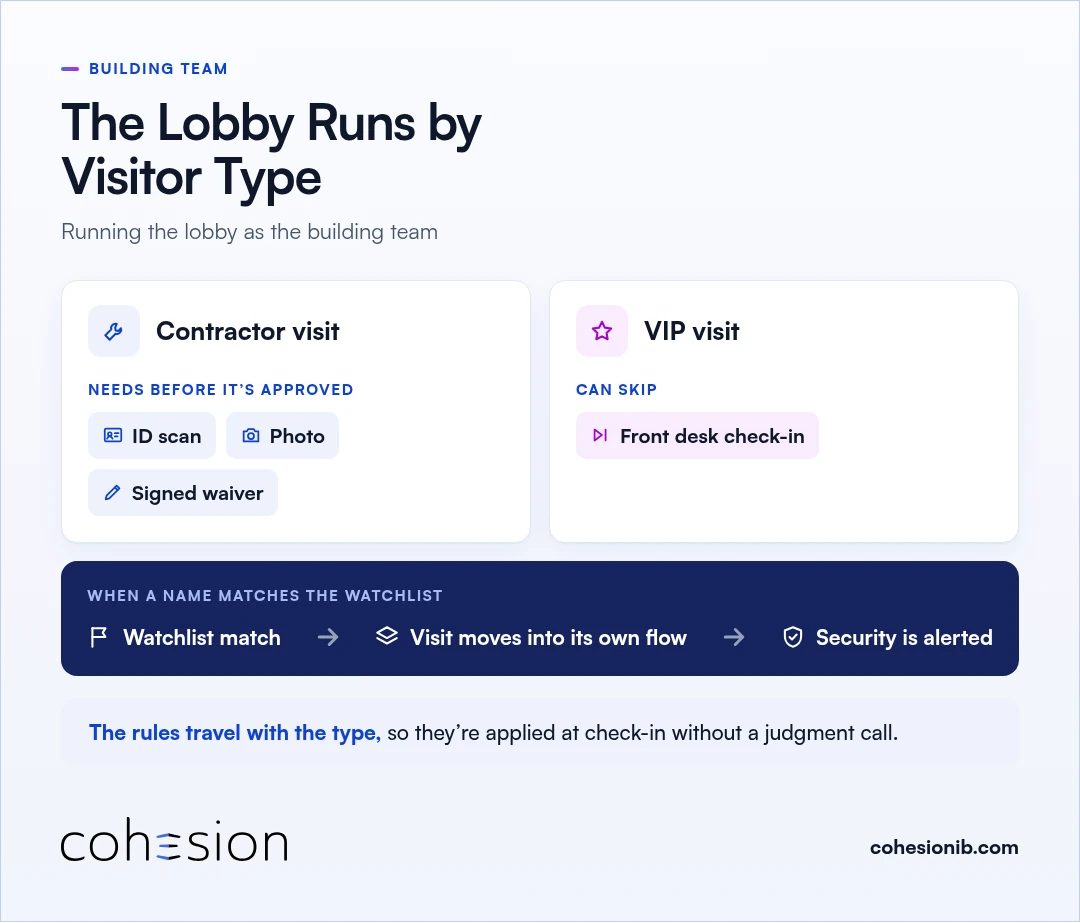
The lobby runs by visitor type. A contractor visit can be set to need an ID scan, a photo and a signed waiver before it's approved, while a VIP visit can skip front desk check-in.
Because the rules travel with the type, they're applied at check-in without anyone at the front desk making a judgment call. And when a name matches the watchlist, the visit moves into its own flow and security is alerted, so nobody at the desk has to catch it by eye.
ID checks stay at the front desk for buildings that want them, and verification confirms the document is authentic before check-in can proceed.
Inviting guests as a tenant host
On the tenant side, the people who invite guests are usually a host, an executive assistant or the tenant admin. When pre-registration runs through email chains to building security, a guest's name can sit in someone's inbox until the morning of the visit.
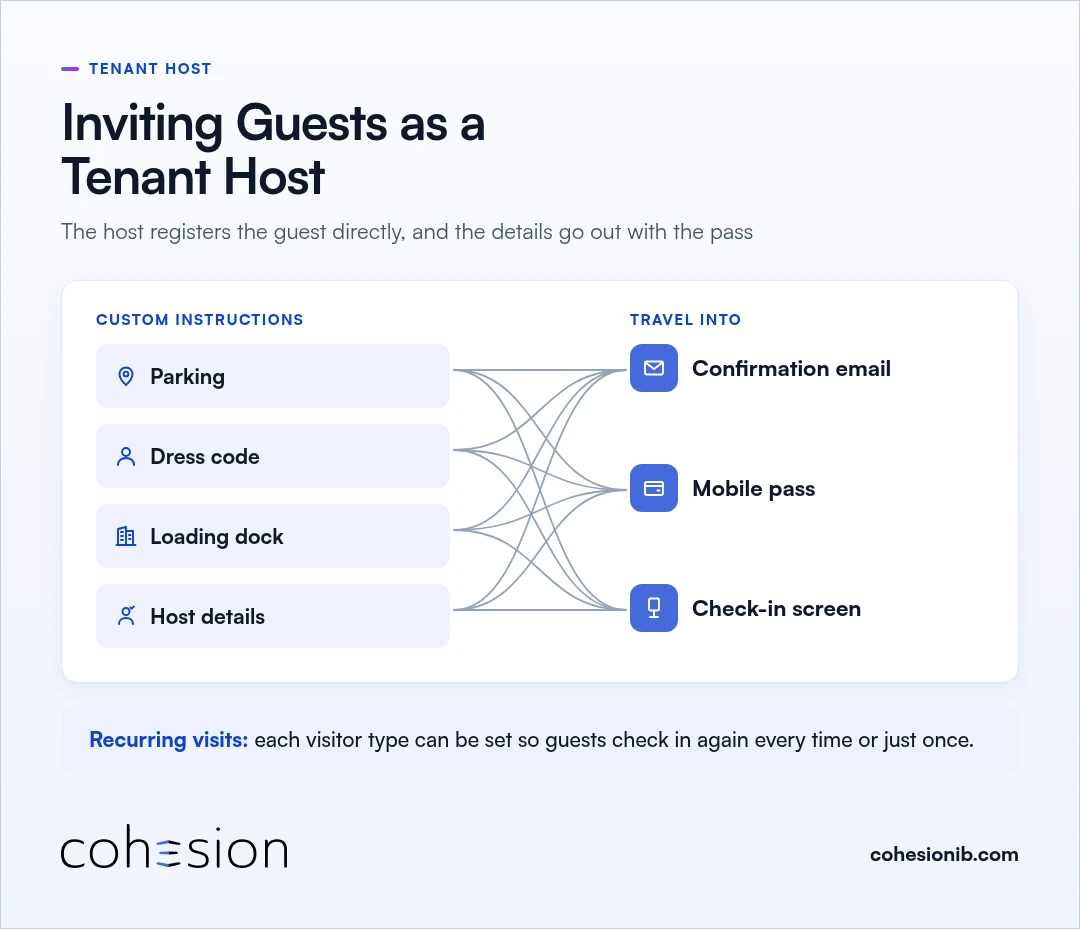
With pre-registration, the host registers the guest directly, and the arrival details go out with the pass. Custom instructions such as parking, dress code, the loading dock and host details travel into the confirmation email, the mobile pass and the check-in screen.
For guests who come back often, each visitor type can be set so recurring visits check in again every time or just once. That keeps a weekly vendor or a returning client moving through the lobby on rules that were set once.
Arriving as a visitor
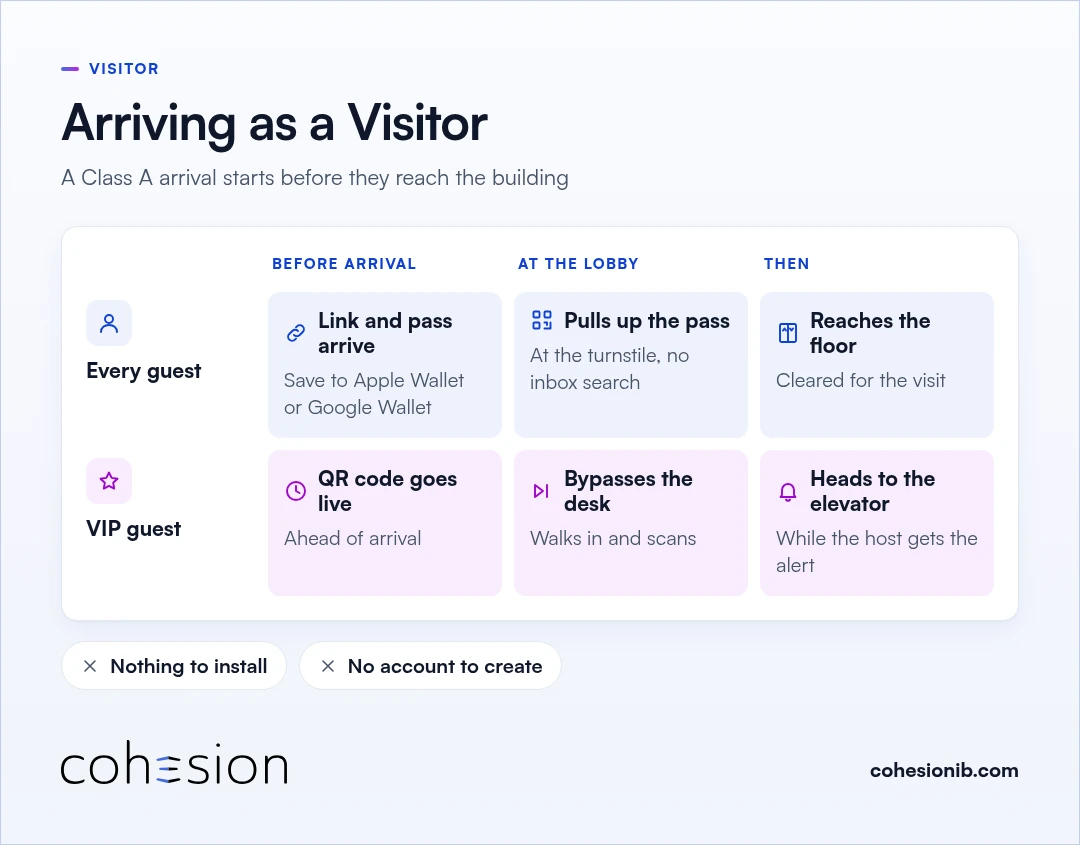
For the visitor, a Class A arrival starts before they reach the building. The pre-registration link and a scannable credential arrive by email or text, and the pass can go into Apple Wallet or Google Wallet.
Nothing needs installing and no account needs creating. At the lobby, the visitor pulls up the pass at the turnstile instead of searching an inbox or asking the front desk to resend the invitation.
VIP visits can go further. A VIP type can bypass front desk check-in and have its QR code go live ahead of arrival, so the guest walks in, scans and heads to the elevator while the host gets the alert.
One office visitor management system for the base building and every tenant
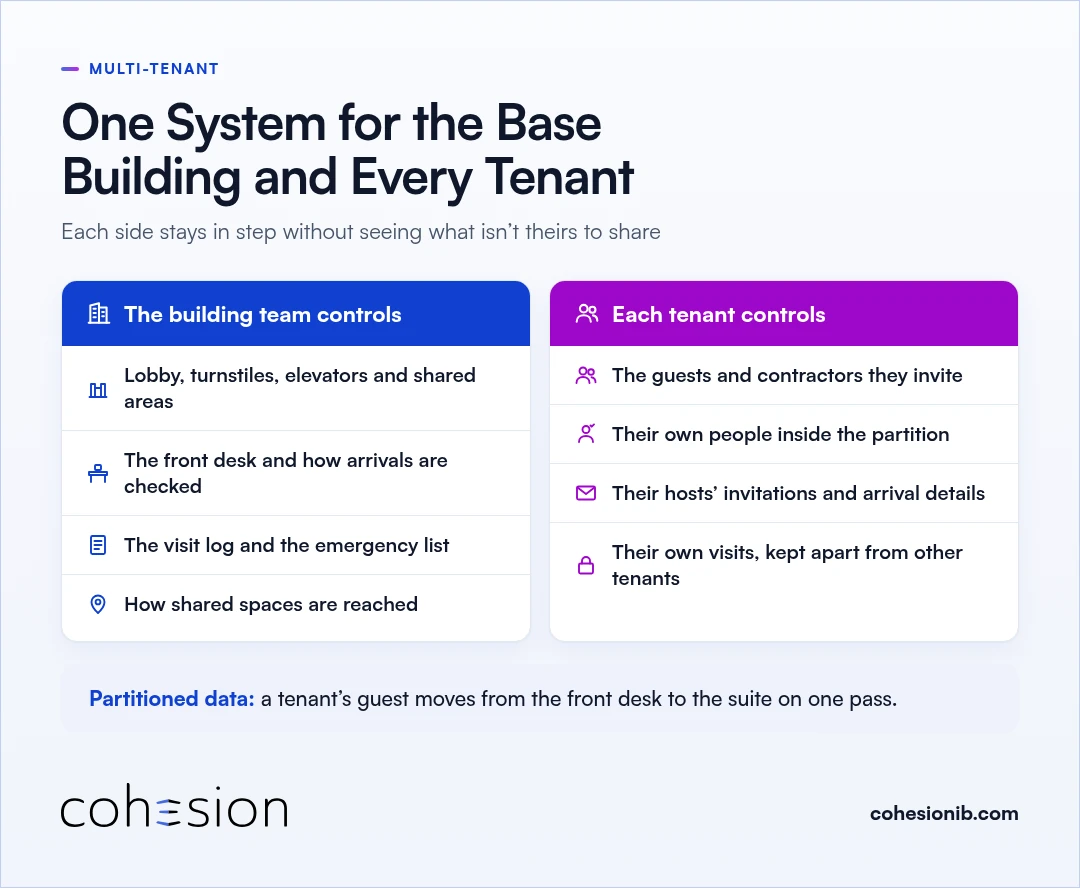
One visitor system can serve the base building and every tenant in a multi-tenant office. The data is partitioned, so the base building and each tenant stay in step without seeing what isn't theirs to share.
From the lobby operator's side, the split typically looks like this:
| The building team controls | Each tenant controls |
|---|---|
| The lobby, turnstiles, elevators and shared areas | The guests and contractors they invite |
| The front desk and how arrivals are checked | Their own people inside the tenant's partition |
| The visit log and the emergency list for the property | Their hosts' invitations and arrival details |
| How shared spaces are reached | Their own visits, kept apart from other tenants |
With Smart Access, the landlord keeps master control over the lobby, elevators and shared areas while each tenant manages its own people inside a partition. Our visitor management system runs on that same split, so a tenant's guest moves from the front desk to the suite on one pass.
Some buildings start out with two systems, one run by the landlord and one by a major tenant. We can connect those environments, so a guest's visit doesn't stop where the base building ends and the tenant's own corporate visitor management system begins.
If you're weighing options for your building, our guide lists the questions to ask before you choose a system.
Service calls and deliveries in an office tower
A technician on an elevator service call, or a vendor coming in through the loading dock, usually arrives carrying equipment, and sometimes the only contact detail the front desk has is a phone number.
The building team can register the visitor with that number and send the QR code by text, so they open the message and have the credential ready at the turnstile.
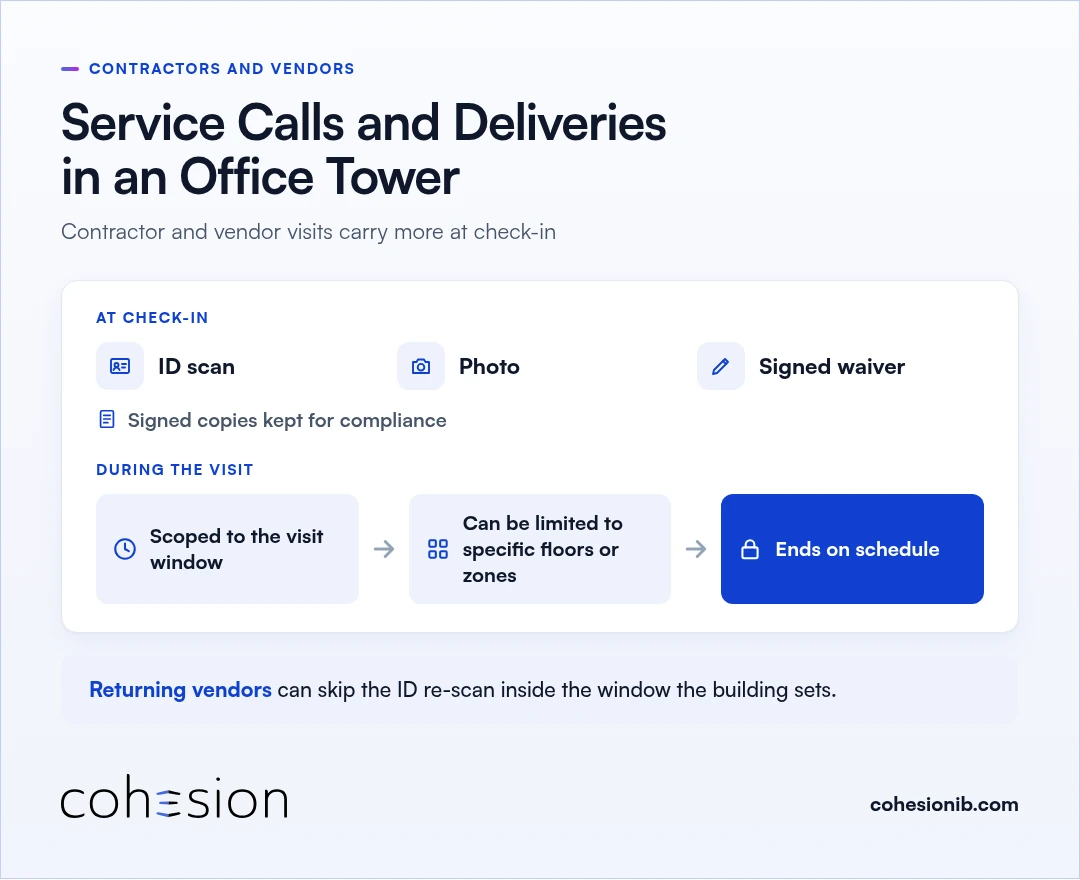
Contractor and vendor visits usually carry more at check-in, such as an ID scan, a photo and a signed waiver, and the signed copies are kept for compliance. Their access is scoped to the visit window and can be limited to specific floors or zones, so it ends on schedule. Returning vendors can skip the ID re-scan inside the window the building sets.
What the security team gets from every visit
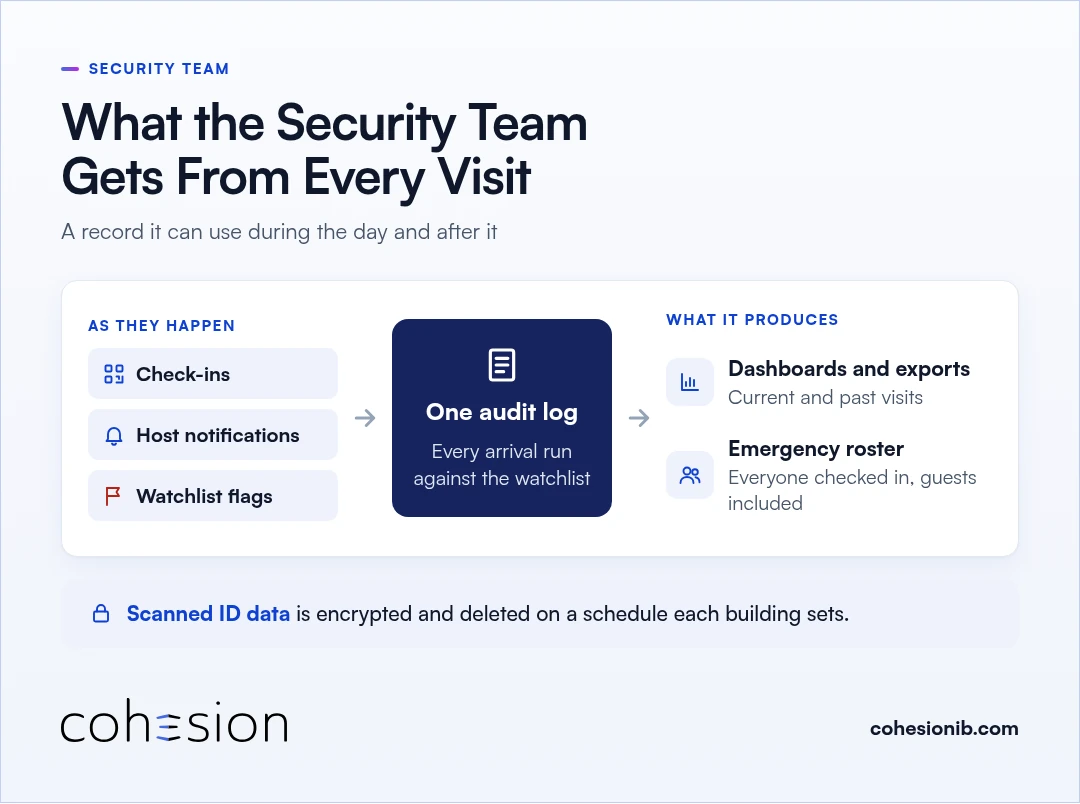
Every office visit leaves the security team with a record it can use, during the day and after it.
- Screening on every check-in. Each arrival is run against the watchlist automatically, and a match goes straight to security review.
- One visit log. Check-ins, host notifications and watchlist flags all land in a single audit log as they happen, with dashboards and exports showing current and past visits.
- A live list for emergencies. In an emergency, that same log produces a current roster of everyone checked in, guests included, without anyone compiling it by hand.
Scanned ID data sits in an encrypted service and is deleted on a retention schedule each building sets.
Visitor passes work with the office building access control already in place, such as HID, LenelS2, Genetec, Kastle and AMAG. Our integration list covers more. For the wider picture, we cover how visitor management works alongside building security and access control in a separate post.
Frequently asked questions
How should an office receive visitors?
An office should receive visitors with a pre-registered invitation from their host, so the welcome starts before the guest arrives. From there, a quick check-in at the lobby and a pass that opens the floor the visit was cleared for do the rest, and the host's alert at check-in means the guest is met promptly.
What are visitor management techniques for an office building?
In an office building, the core techniques are host pre-registration, check-in rules set by visitor type, ID verification where the building requires it, watchlist screening at check-in, access scoped to the visit window, and one log of every visit. Together they protect guests and tenants while keeping arrivals moving, and the front desk, security and tenants share the same record.
How long does a building keep a visitor's scanned ID?
A building keeps a visitor's scanned ID only for the retention window that building sets, so visitors can rest easy that it isn't kept indefinitely. With Cohesion Visitor Management, the scan sits in an encrypted service and is deleted when that window ends.
See a Class A visit run through your lobby
We'd love to walk one visit through your building with you. Show us how your front desk and access control work today, and we'll follow a tenant's guest from the invitation to the lobby check-in, through a door and onto a floor, and into the log.