Visitor Management System Buyer's Guide: Questions to Ask Before You Choose
Six answers to get in writing before you choose a visitor management system for a commercial building: pricing, hardware, access control, data ownership, tenant separation, and contract length.
Schedule a Call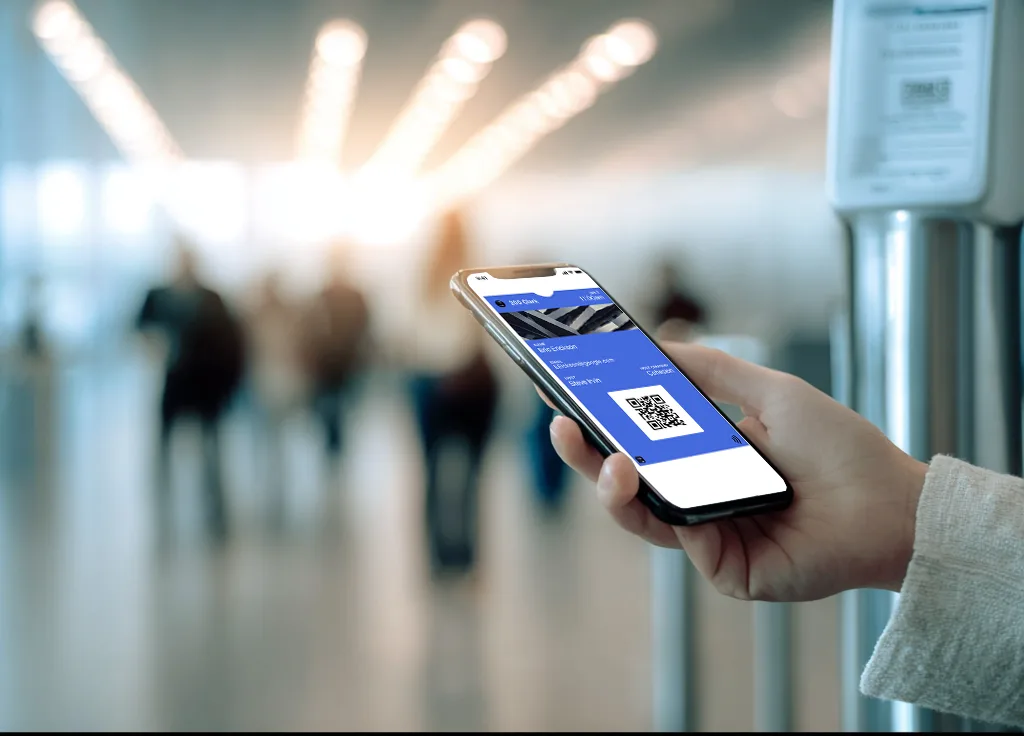
Before you choose a visitor management system (VMS) for a commercial building, get five answers in writing from every vendor: how they charge (per building or per company), whose tablet runs check-in, whether the door system you already run is on their current integration list, who owns the visitor log and whether you can download it, and how long the contract runs.
If you're on the property, operations, or security team for a multi-tenant building, add a sixth: whether one tenant can see another tenant's visitors. For a short definition of the product, see what a visitor management system does.
Ask each vendor to walk one guest through the process. At Cohesion, the host sends a QR code by email or text. The guest can add that code to Apple Wallet or Google Wallet and hold the phone to the reader.
You want to see that scan open the right door and the right floor on the access system already in the building. And stop working when the meeting ends. A printed badge could be available for a dead phone, or for a guest who can't add the code to a wallet.
What to ask before you buy a visitor management system
If the answer on the first call is that it depends, ask what it depends on and where the price or the steps change. Have them walk through the trickiest visit your building gets.
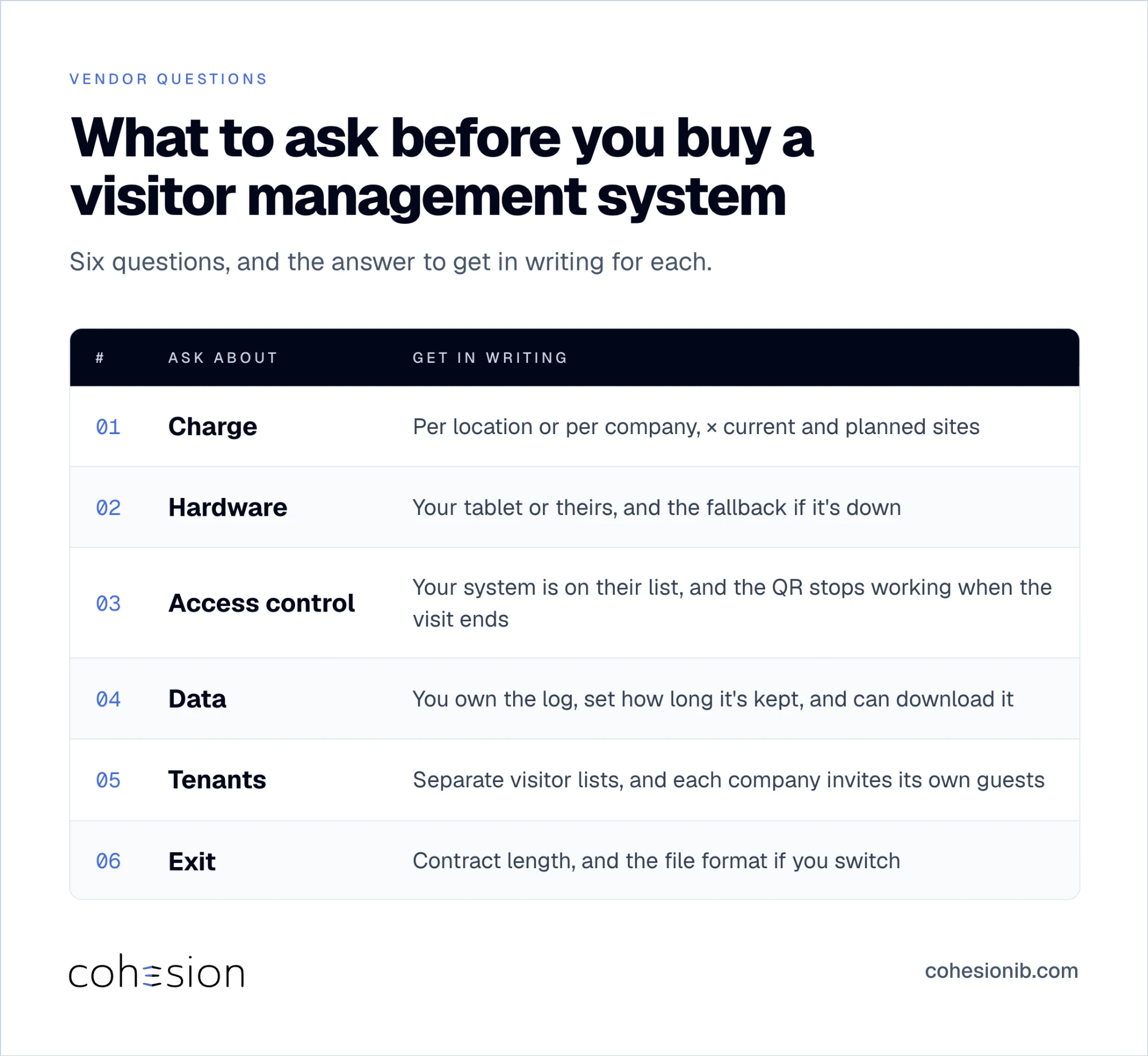
| Ask | What to get in writing |
|---|---|
| Charge | Per location or per company, multiplied by current and planned sites |
| Hardware | Your tablet or theirs, and what check-in does if that tablet is down |
| Access control | Your named system is already on the list, the guest scans a QR, and the QR stops working when the visit ends |
| Data | You own the log, you set how long you keep it, and you can download it |
| Tenants | Each tenant's visitor list stays separate, and each company can invite its own guests |
| Exit | Contract length, and the file format if you switch |
Write the questions down before the call, so every row gets an answer even when the demo covers a lot of ground.
How visitor management system pricing works: per location or per company
Before you compare vendors, ask whether the quote is per location or per company. On a per-location quote, a 5-building portfolio is 5 times the number on the slide. A planned 6th building belongs in that math too.
Ask for the 3-year total cost of ownership as well as the first invoice, including hardware, setup, and what happens to the price when you add a site. A low price for the first lobby can go up when the 2nd building comes on, so put that in the comparison.
It's also worth asking whether you can buy visitor management on its own. At Cohesion, you can buy it as a single feature. If a vendor only sells it inside a larger package, count that package in the 3-year total.
Must-have visitor management features vs nice-to-haves
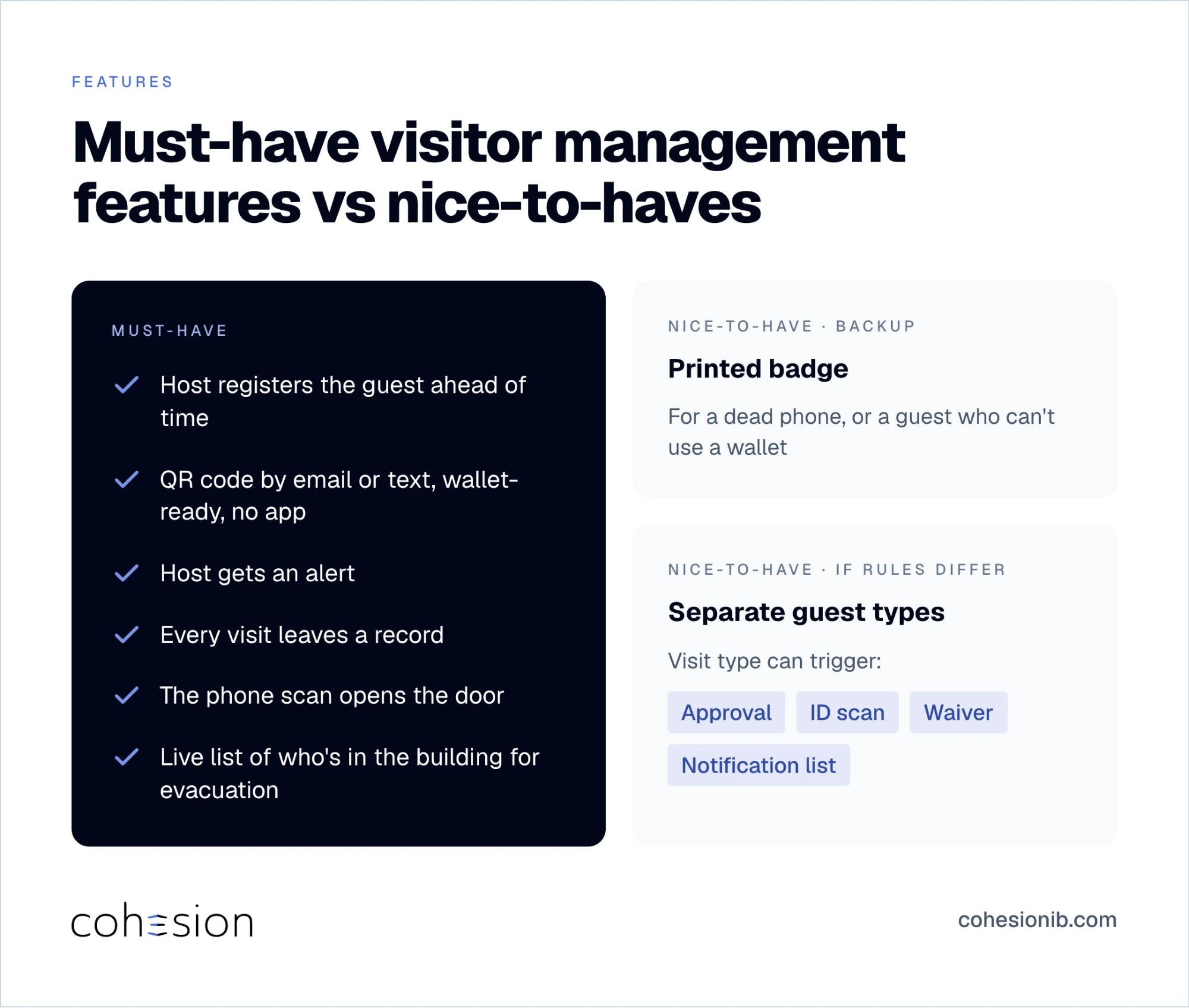
The day-to-day list of must-haves is short:
- The host registers the guest ahead of time.
- The guest gets a QR code by email or text and can add it to Apple Wallet or Google Wallet, and check-in doesn't need an app.
- The host gets an alert.
- The visit leaves a record.
- The phone scan opens the door.
Ask, too, whether the front desk or security team can pull up a live list of who's in the building if you have to evacuate.
A printed badge covers the guest whose phone is dead, or who can't use a wallet. You only need separate guest types if contractors and visitors should follow different steps. If they should, ask whether setting the visit type can trigger approval, an ID scan, a waiver, and a different notification list, so the desk isn't deciding the rules for each guest.
Write down your list before you book the demo. A feature that looks useful in a quiet walkthrough often sits unused once the desk is busy.
Does it integrate with the access control system you already have?
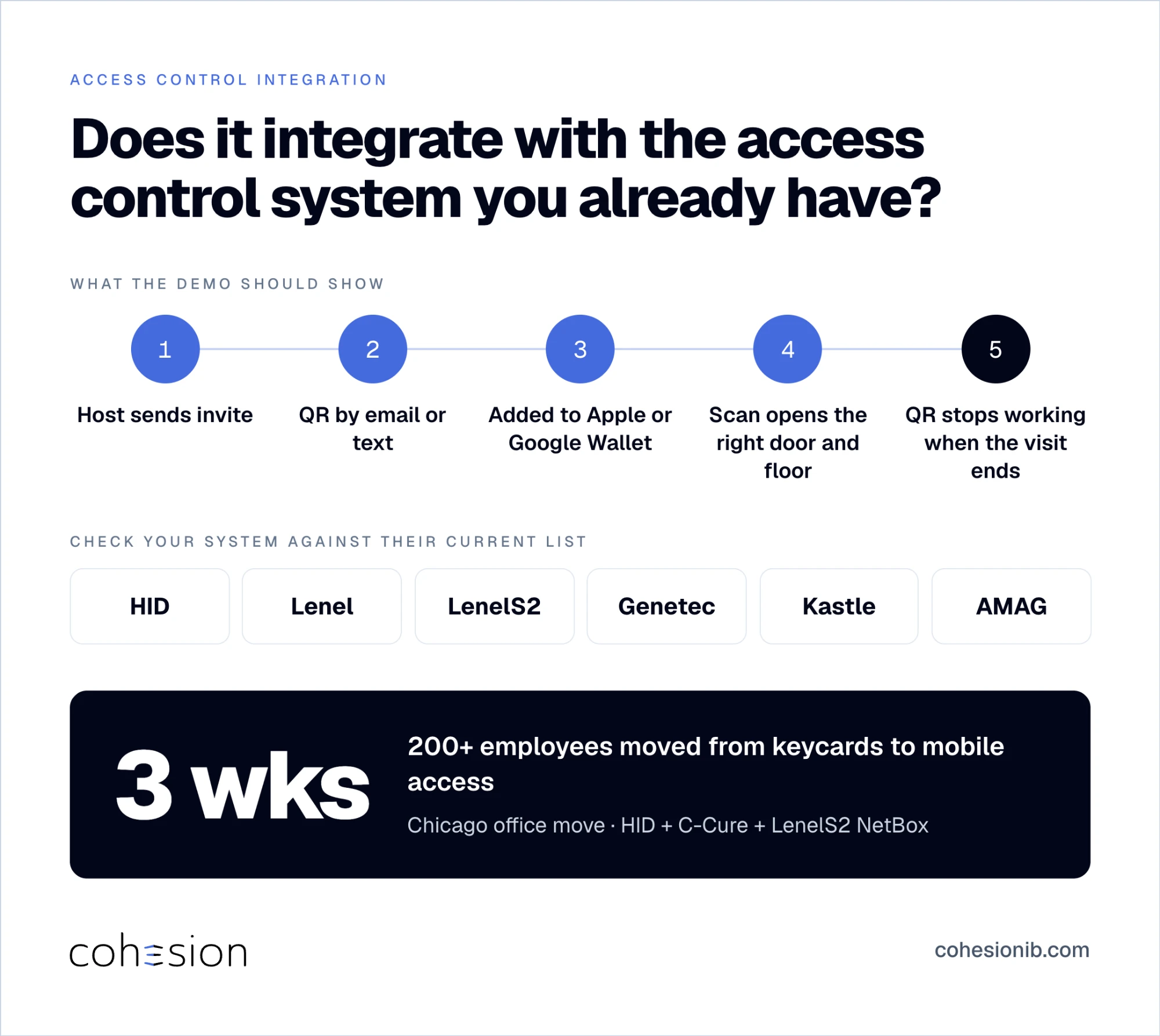
If your building runs HID, Lenel, LenelS2, Genetec, Kastle, or AMAG, check that name against each vendor's current integration list. It helps to confirm which connections are live today, so your rollout plan matches what's ready. See our current integration list. If a vendor can't create the visit on the access system in your building, check-in and opening the door stay two separate steps.
In one Chicago office move, we connected the building's HID and C-Cure systems with the tenant's LenelS2 NetBox system and moved 200+ employees from keycards to mobile access in 3 weeks.
In the demo, ask them to scan the QR, then the same pass from Apple Wallet or Google Wallet. You're looking for the right door and the right floor, and for the QR to stop working when the visit ends. If it still works after the meeting, the door system and the visitor record may not be in sync.
With Cohesion Visitor Management, the guest gets the QR by email or text, can add it to either wallet, and doesn't install an app. See how guests get a visitor QR code by text.
- What happens if the door controller is offline when the guest arrives?
- What happens if someone cancels the visit after the QR was already sent?
- Does it connect to the calendar your hosts use (Microsoft 365 or Google Workspace), send host alerts in Teams or Slack, and let hosts sign in with single sign-on?
Who owns the visitor log, and can you take it with you
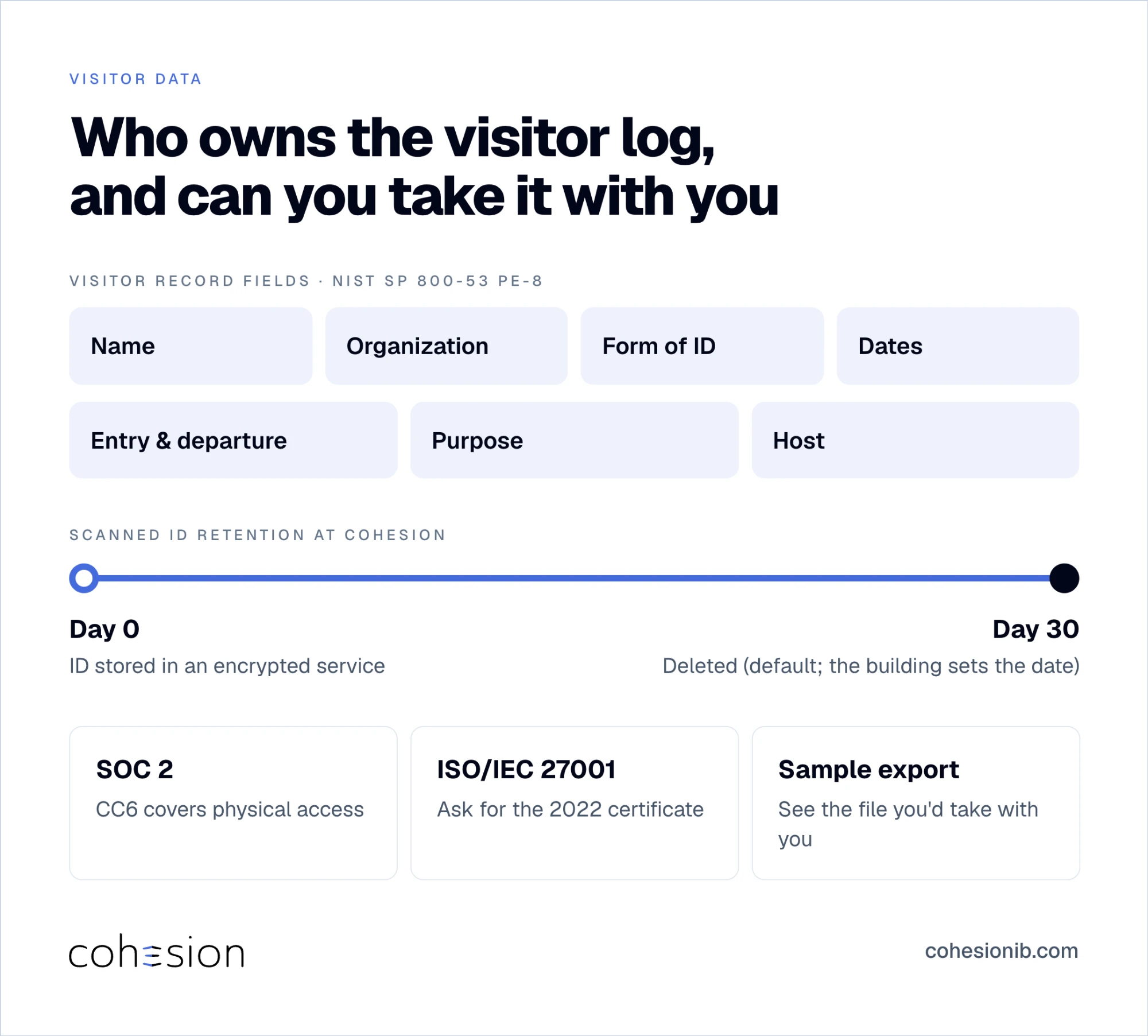
Ask who owns the visitor data, where it's stored, and who sets the deletion date, and get all three answers in writing.
At Cohesion, a scanned ID stays in an encrypted service and is deleted on a date the building sets (30 days unless the building chooses another). Ask the vendors you're interviewing the same question.
NIST SP 800-53 (control PE-8) lists the visitor record many security teams already keep: name, organization, form of identification, dates, entry and departure, purpose, and host, kept for a set period and reviewed.
Ask to see the SOC 2 report, an independent auditor's report on a service company's security controls. The AICPA SOC 2 criteria cover physical access under CC6, the control for who can enter the building. If a vendor cites ISO/IEC 27001, the international standard for information security management systems, ask for the certificate against the ISO/IEC 27001:2022 standard.
During the evaluation, ask for a sample export so you can see exactly what you'd take with you if you leave. If your team can open that file with the tools it already uses, a future move stays simple.
How visitor management works in multi-tenant buildings
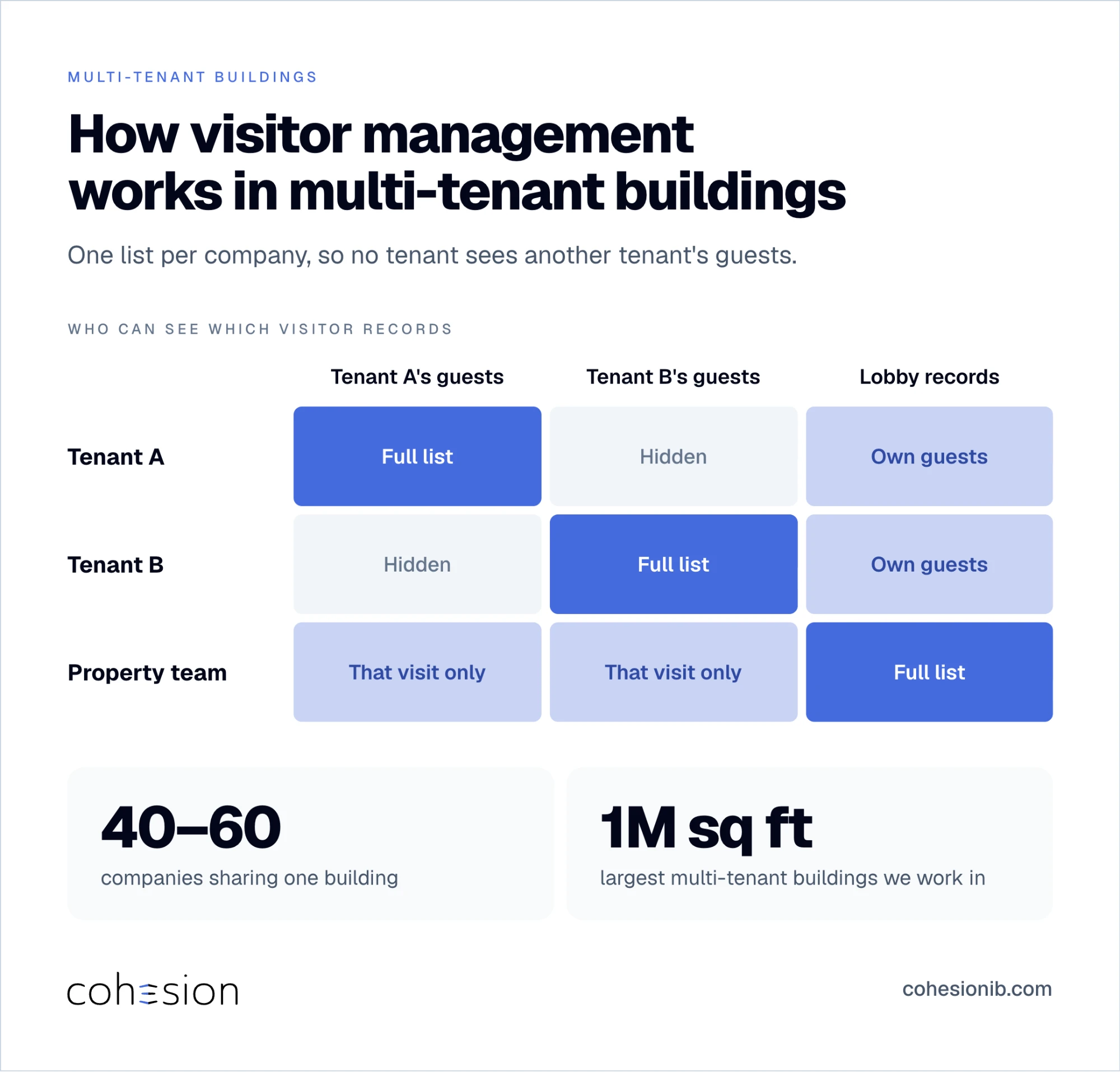
A single-company office can keep one visitor list. A building with tenants usually needs a list per company, so one company can't see another's guests. Ask whether those records stay separate from the landlord's lobby records, and whether each company can invite its own guests.
We work in multi-tenant buildings ranging into the millions of square feet where companies share one building and each one uses Cohesion as part of the building's workflow.
One visit in the demo is enough to check this. The host sends the invite, the guest arrives, and the property team should be able to look at that record without opening the tenant's other visits. Then ask who can download a tenant's visitors, and who can see that file.
Implementation, and how hard it is to leave
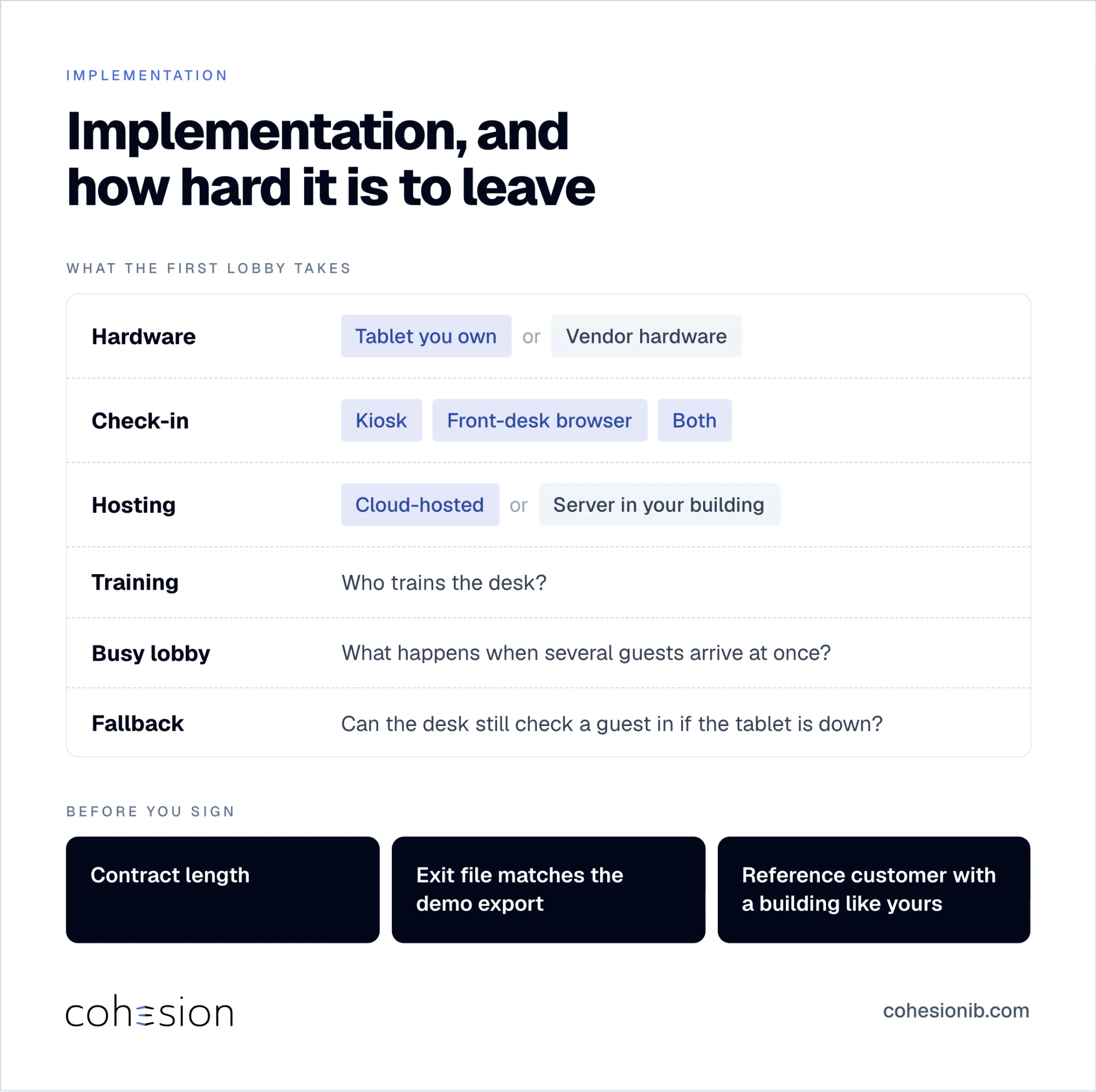
Ask what the first lobby takes:
- A tablet you already own, or hardware you have to buy
- A kiosk, a browser at the front desk, or both
- Cloud-hosted, or running on a server in your building
- Who trains the desk
- What happens when several guests arrive at once
- Whether someone can still check a guest in if the tablet or kiosk is down
And ask for a reference customer with a building like yours.
Before you sign, ask how long the contract runs, and confirm that the export you saw in the demo is the file you'd get if you leave.
Visitor management system checklist: 6 answers to get in writing
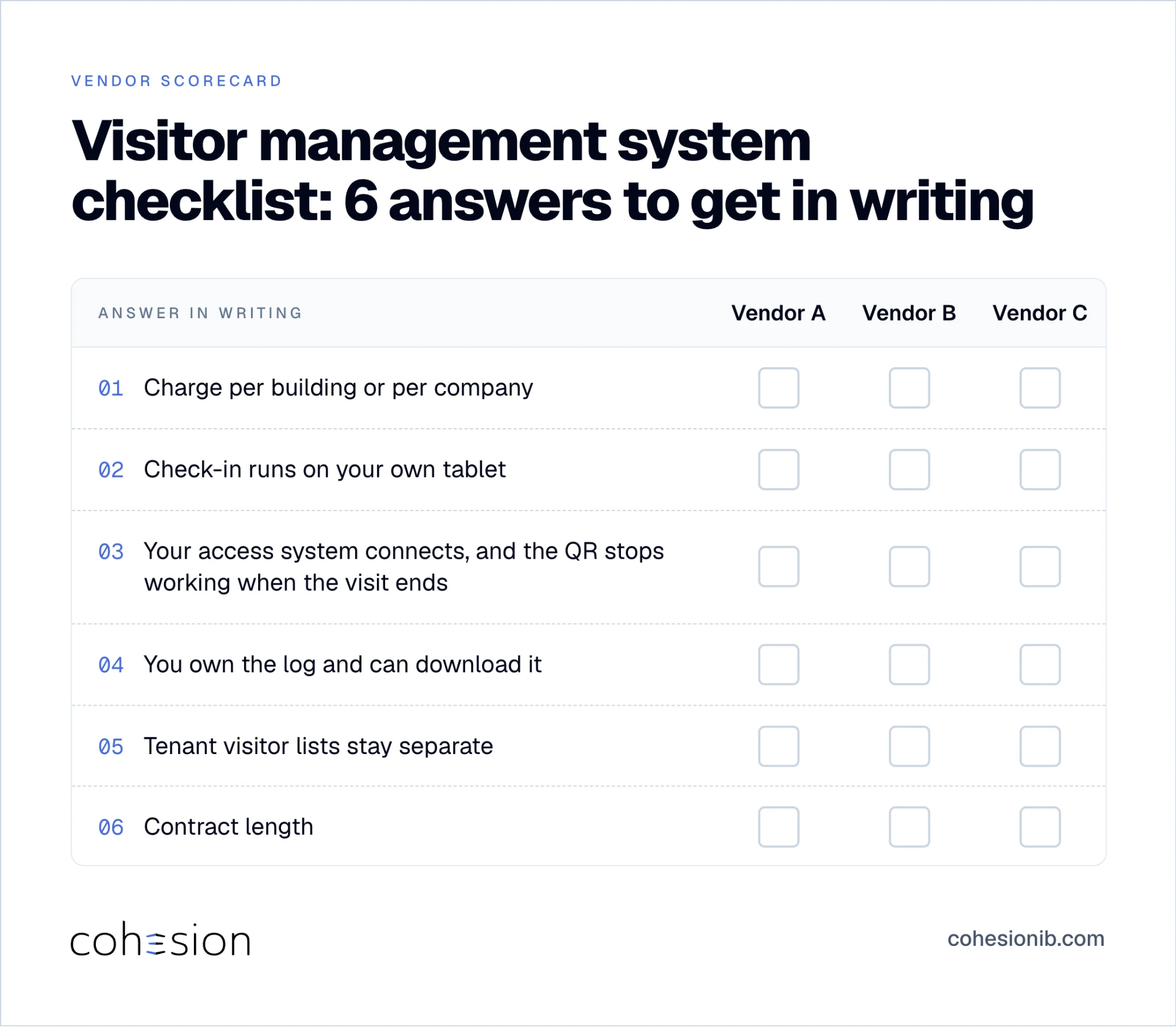
After the demo, you should have 6 answers in writing: the charge per building or per company, whether the tablet is yours, whether your access system already connects and the QR stops working when the visit ends, whether you own the log and can download it, whether tenant lists stay separate, and the contract length.
Once those are filled in, we'd love to show you how Cohesion answers each one. You can read about visitor management on the access system you already run, or book a visitor management demo and we'll walk those same questions through your lobby. Bring your checklist, and we'll go row by row.
Frequently asked questions
Is visitor management pricing per location or per company?
Vendors price it both ways, so the contract is the place to confirm which one applies to you. To compare quotes fairly, multiply each one by the sites you have and the sites you plan, and include the price change when you add a building.
Do I have to buy the vendor's hardware?
Not always, since some systems run check-in on a tablet you already own, while others run only on hardware the vendor manages. Ask which kind theirs is, and what the desk does if that tablet is down.
Who owns visitor data, and can I export it?
Your contract decides who owns the visitor data and whether you can export it, so get the owner, the storage region, how long records are kept, and the export file format in writing. You can check the same answers in the vendor's security report.
Does a visitor management system replace access control?
It works alongside the access control you already have. At Cohesion, visitor management sends the visit to your access system, and that system still opens the door. Ask whether your named system already connects, and whether the QR stops working when the visit ends.
Do I still need to print visitor badges?
Usually only as a backup when guests get a QR pass: a printer covers a dead phone, or a guest who can't add the QR to Apple Wallet or Google Wallet. On a usual visit, the guest gets the QR by email or text, scans it at the door, and it stops working when the meeting ends.