Multi-Tenant Visitor Management: Running One System Across Every Tenant
How multi-tenant visitor management works in a Class A office: the base-building and tenant layers, who sets each rule, and tenant move-ins and move-outs.
Schedule a Call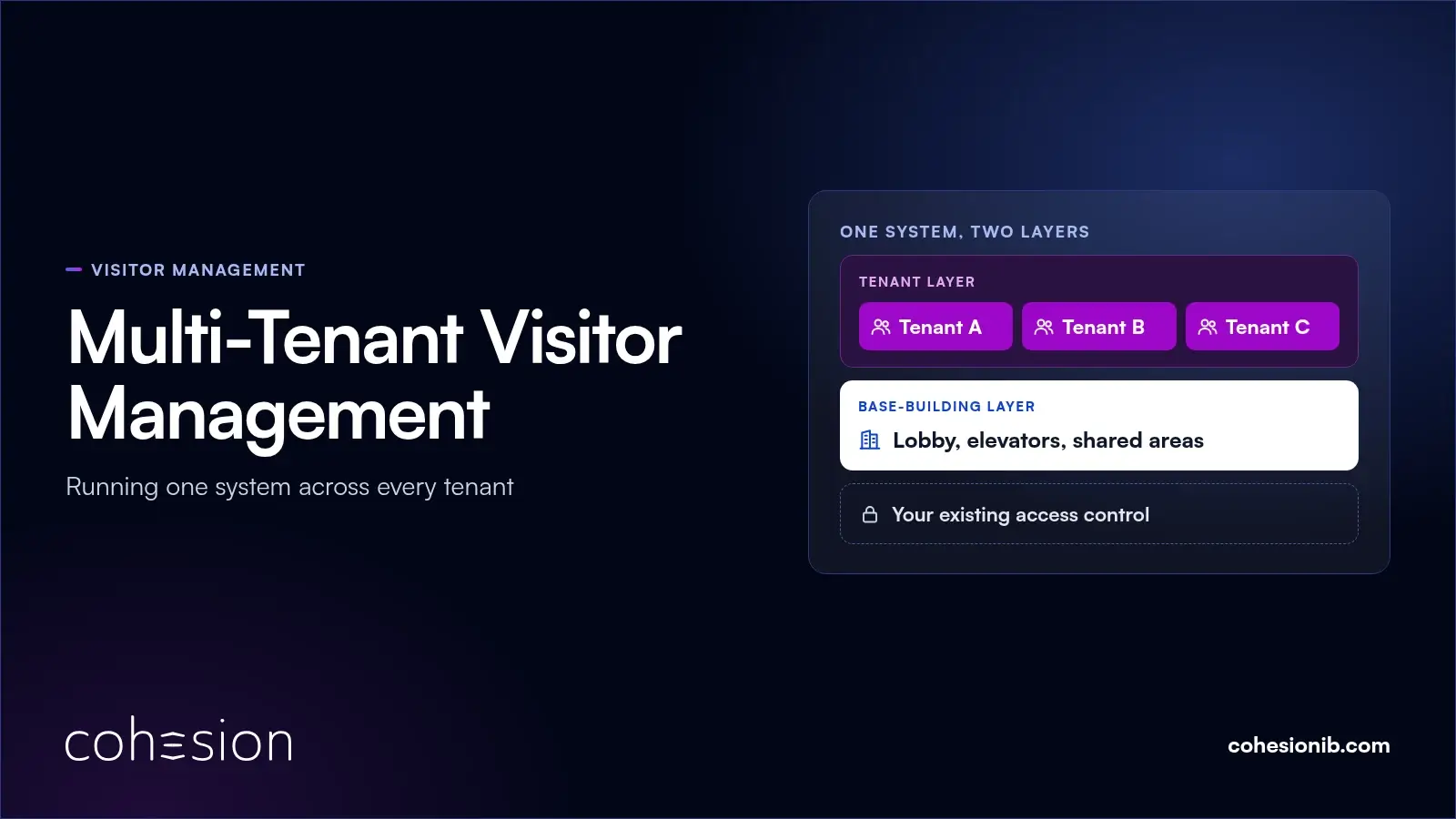
A multi-tenant visitor management system runs one visitor system across a building shared by several companies. Yes, tenants can share it: each one manages its own guests, while the building team keeps master control of the lobby, elevators and shared areas, and partitioned security keeps every tenant's visits apart.
Most of the hard questions come later, once the system is running. In many buildings, a tenant that revokes someone's badge in its own suite system still has to message building security to remove base-building access. Gaps like that are where governance matters, and where a clear split saves everyone a worried afternoon.
This guide is for property managers and the security and tenant services teams in commercial real estate who run one system across a multi-tenant office building day to day: the two layers, who sets which rules, what happens when a tenant moves in or out, and who sees which records. For the visit itself, from the invitation to the floor, see how a Class A office receives visitors.
The two layers of a multi-tenant visitor management system
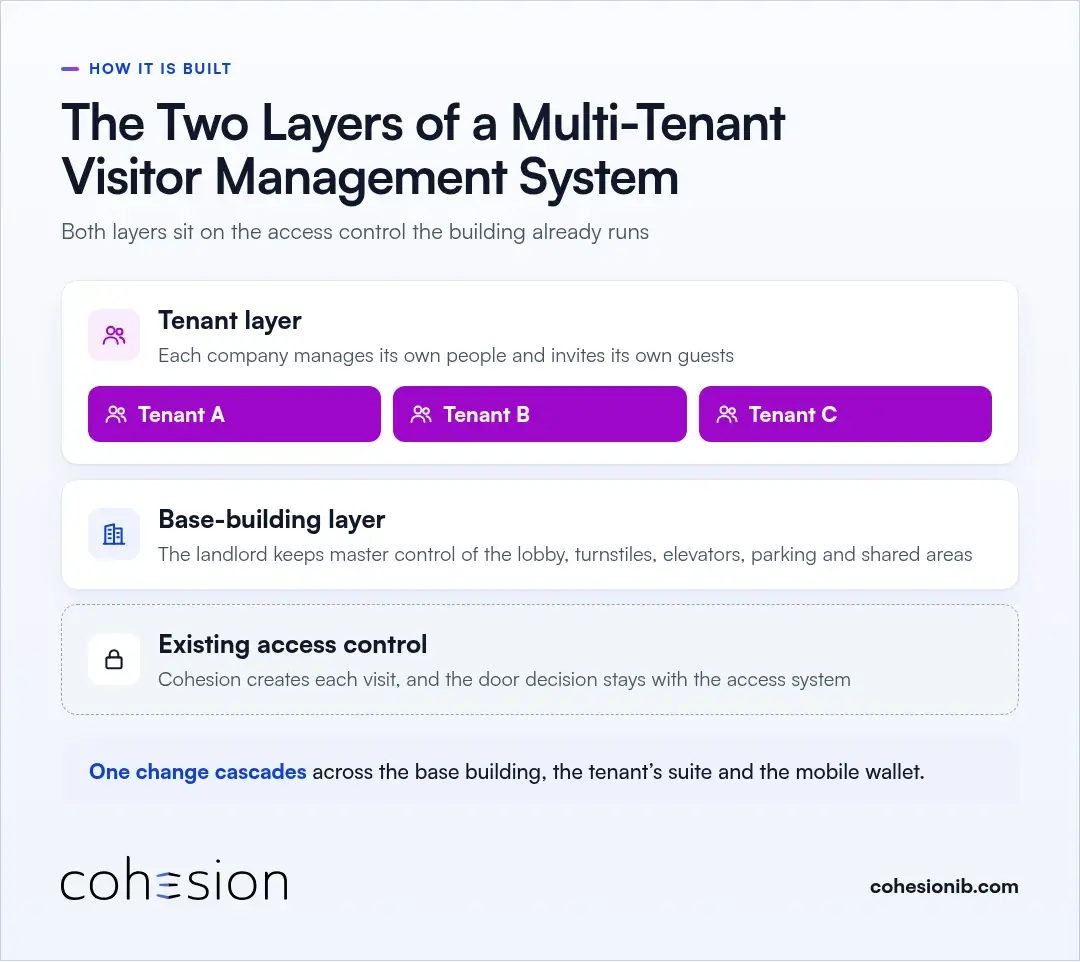
A multi-tenant visitor management system has a base-building layer run by the landlord and a tenant layer for each company, both sitting on the building's existing access control. One action, such as revoking someone's access, can carry across both layers at once.
The base-building layer
The building team owns the lobby, turnstiles, elevators, parking and shared areas, and it usually runs the front desk. With Smart Access, master control of those common areas stays with the landlord while credentialing is handed to each tenant inside its own partition.
The tenant layer
Each tenant gets its own partition. Inside it, the company manages its own people without emailing building security every time someone joins or leaves, and its hosts invite their own guests.
That's how it runs at 22 Vanderbilt, the Class A tower in Midtown Manhattan with direct lobby access to Grand Central Terminal, where we worked with Milstein Properties. Tenants invite guests from the building's app, and every tenant has instant visitor check-in.
The access control underneath both
Both layers run on the access control systems a building already has, including HID, LenelS2, Genetec, Kastle or AMAG. Cohesion creates each visit, and the door decision stays with the access system.
Between the two layers, software middleware does the coordinating. A change made once cascades across the base building, the tenant's suite and the mobile wallet, so nobody has to repeat it in a second system.
Which visitor rules the building sets and which each tenant sets
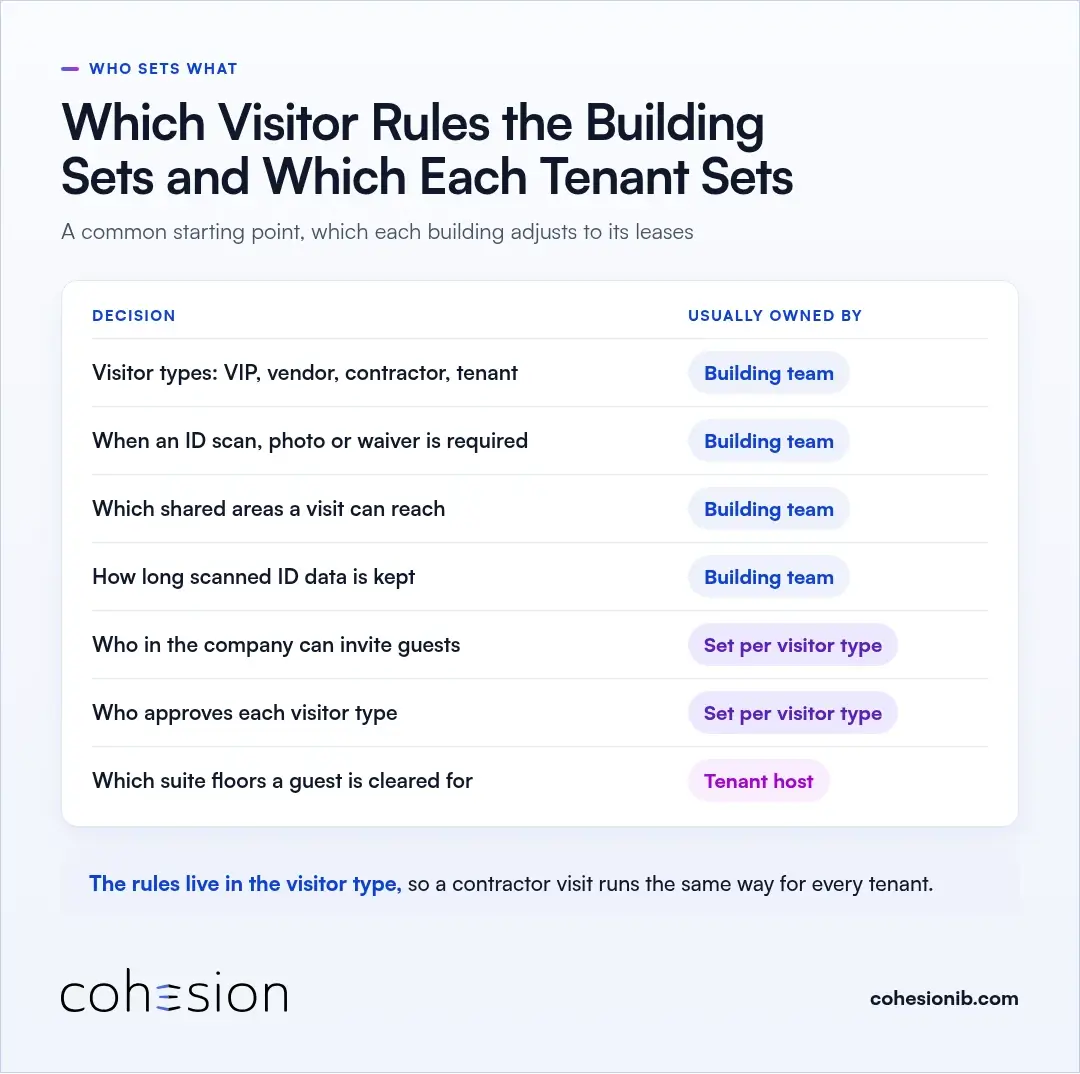
A common split is that the landlord settles the building-wide rules once, and each tenant works inside them. The table below shows the usual starting point, which each building adjusts to its own leases and policies.
| Decision | Usually owned by | How it plays out |
|---|---|---|
| Which visitor types the building uses, such as VIP, vendor, contractor and tenant | Building team | Every tenant's guests check in through the same set of flows |
| When an ID scan, photo or signed waiver is required | Building team | The rule travels with the visitor type, whichever tenant sent the invitation |
| Which shared areas a visit can reach | Building team | Set for the lobby, elevators and amenities |
| How long scanned ID data is kept | Building team | One retention window for the building, 30 days by default unless the building sets a different window, after which the data is deleted |
| Who in the company can invite guests | Set per visitor type | Every host, or a smaller group, as agreed when the tenant is set up |
| Who approves each visitor type | Set per visitor type | Agreed between the building and the tenant when the tenant is set up |
| Which suite floors a guest is cleared for | Tenant host | The pass covers the floors the host approved and the visit window |
The split holds up because the rules live in the visitor type. When a contractor type calls for a photo, an ID scan and a signed waiver, it applies the same way for every tenant, with no judgment call at the front desk.
Sensitive types can also be role-gated, so only people given that role can assign them. A VIP flow that skips front desk check-in stays in the hands of the people chosen to use it.
Who can invite and approve visitors in each tenant
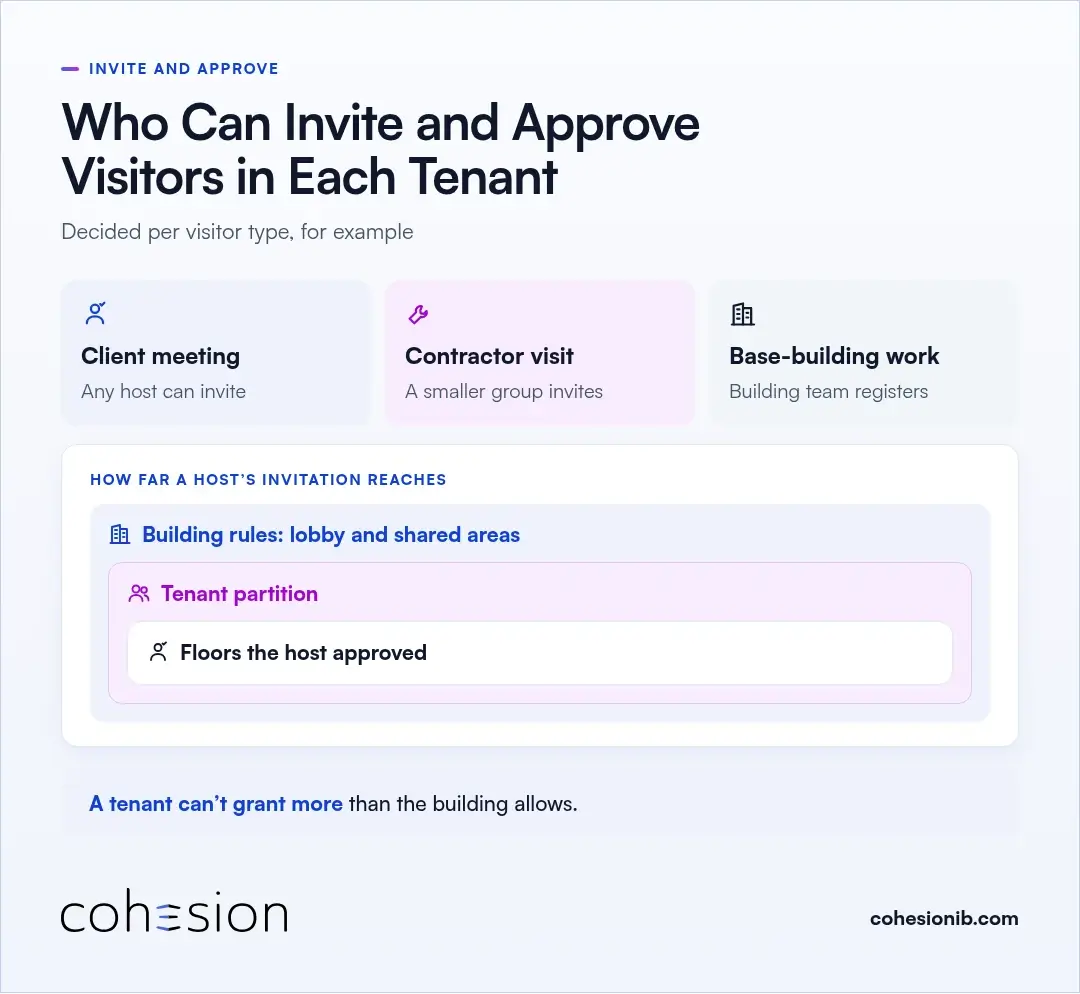
Inside each tenant, hosts invite guests for the company's own meetings, while the building team usually registers the vendors and contractors who come in for base-building work. Which hosts can invite, and which visits need an approver, is decided per visitor type.
For example, any host might be able to invite a client for a meeting, while contractor visits go through a smaller group. The same per type setting covers whether a weekly vendor checks in again on every visit or only the first time.
Hosts clear guests only for what their company controls. A guest's pass reaches the floors the host approved, and the lobby and shared areas follow the building's rules, so a tenant can't grant more than the building allows.
Tenant move-ins and move-outs
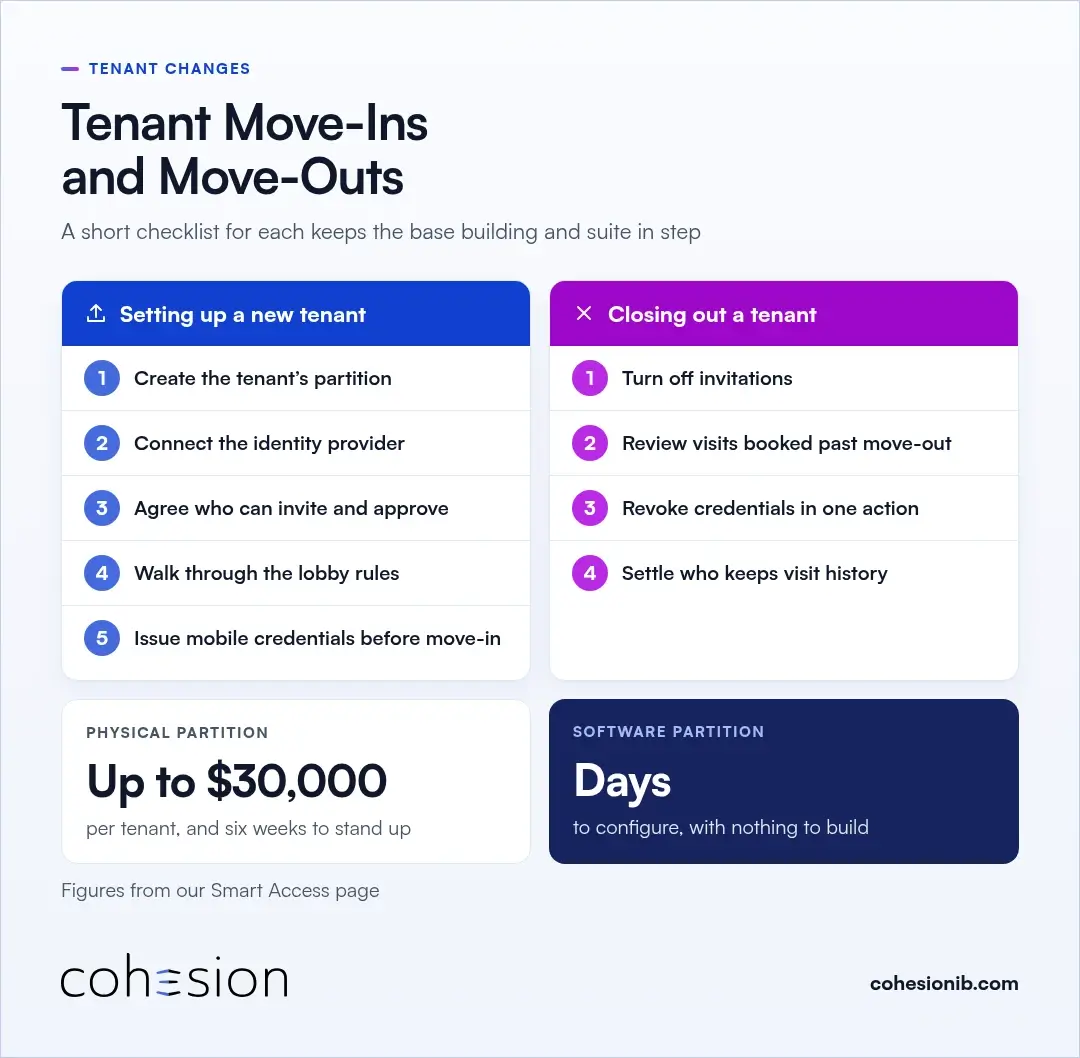
Tenants come and go over the life of a building, and the visitor system has to keep up on both ends. A short checklist for each keeps the base building and the suite in step.
Setting up a new tenant
- Create the tenant's partition and name the person who will manage it for the tenant.
- Connect the tenant's identity provider, so employees get building access when they join and lose it when they leave.
- Agree who can invite and approve for each visitor type the building uses.
- Walk the tenant through the lobby rules, including the visitor types and the ID and waiver requirements, before the first guest arrives.
- Issue employees' mobile credentials before move-in day, so the first morning starts at the turnstile instead of the front desk.
Because the partition is software, there's no physical partition to build for each new tenant. Our Smart Access page puts a physical partition at up to $30,000 per tenant and six weeks to stand up, against a software configuration that takes days.
At 22 Vanderbilt, the case study credits the one tenant app with faster onboarding for new tenants and members. Because tenant access and visitor management already ran on one platform, Milstein could also extend the same app to members of The Club at 22 Vanderbilt instead of standing up a separate system.
Closing out a tenant that's leaving
- Turn off invitations from the tenant's hosts, so no new visits go out under the company's name.
- Review visits booked past the move-out date, including recurring vendor visits, and cancel them or hand them to the building team.
- Revoke employee credentials in one action, so access ends across the base building and the suite together.
- Settle who keeps the tenant's visit history, and for how long, in the lease or the service contract.
Passes that were already issued are tied to their visit windows and expire on their own. The bigger exposure sits between systems, which we look at in more detail in when offboarding fails, safety fails.
Working alongside a large tenant's own visitor system
Some large tenants move in with a corporate visitor management system they already run across their offices. Their workplace security lead often finds a different base-building system in every building the company leases.
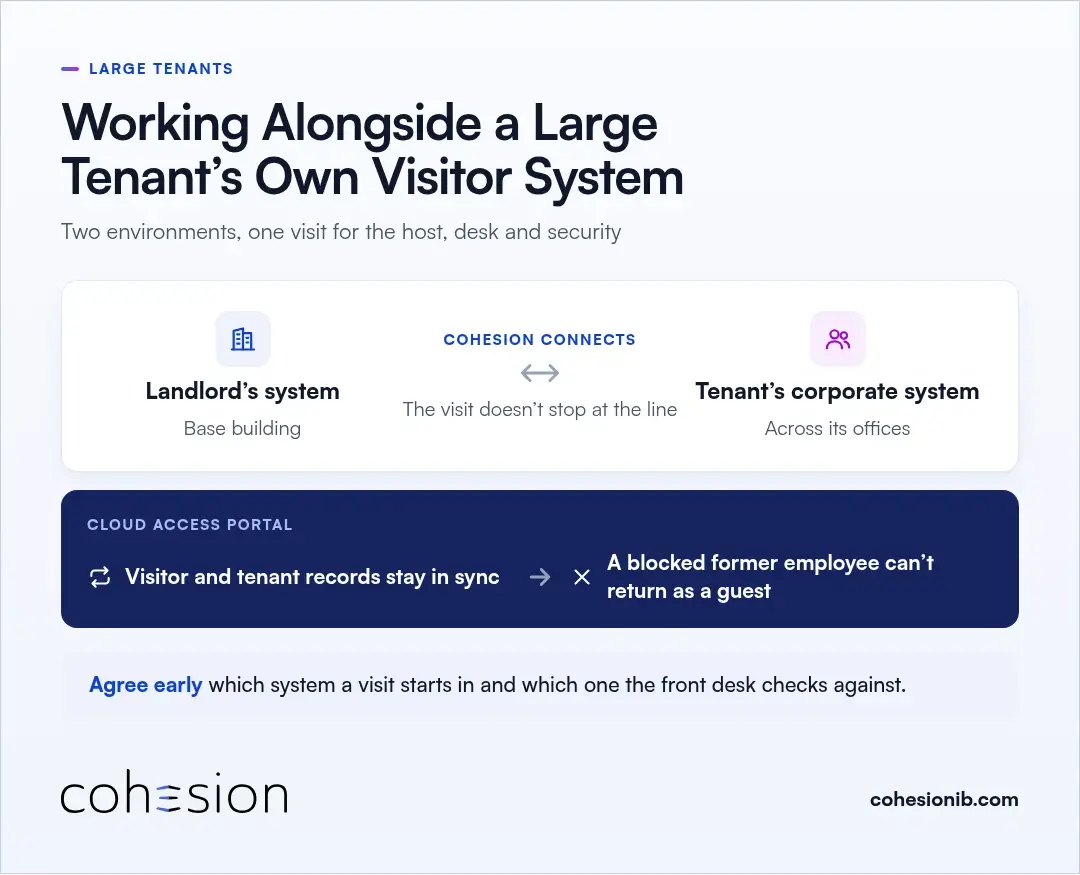
Cohesion can connect the two environments, so a guest's visit doesn't stop at the line between the landlord's environment and the tenant's. On the tenant side, Smart Access connects to the base-building systems each landlord runs and syncs with the company's identity provider, so access can be granted, changed and confirmed across its buildings from one place.
Matching visitor records to tenant records matters most for people who shouldn't be let in. Cloud Access Portal keeps visitor and tenant information in sync, so a former employee the tenant has blocked can't reappear at the lobby as someone's guest.
It helps to agree early which system a visit starts in and which one the front desk checks against. Then the host, the front desk and building security all work from the same visit.
Who sees which visitor records
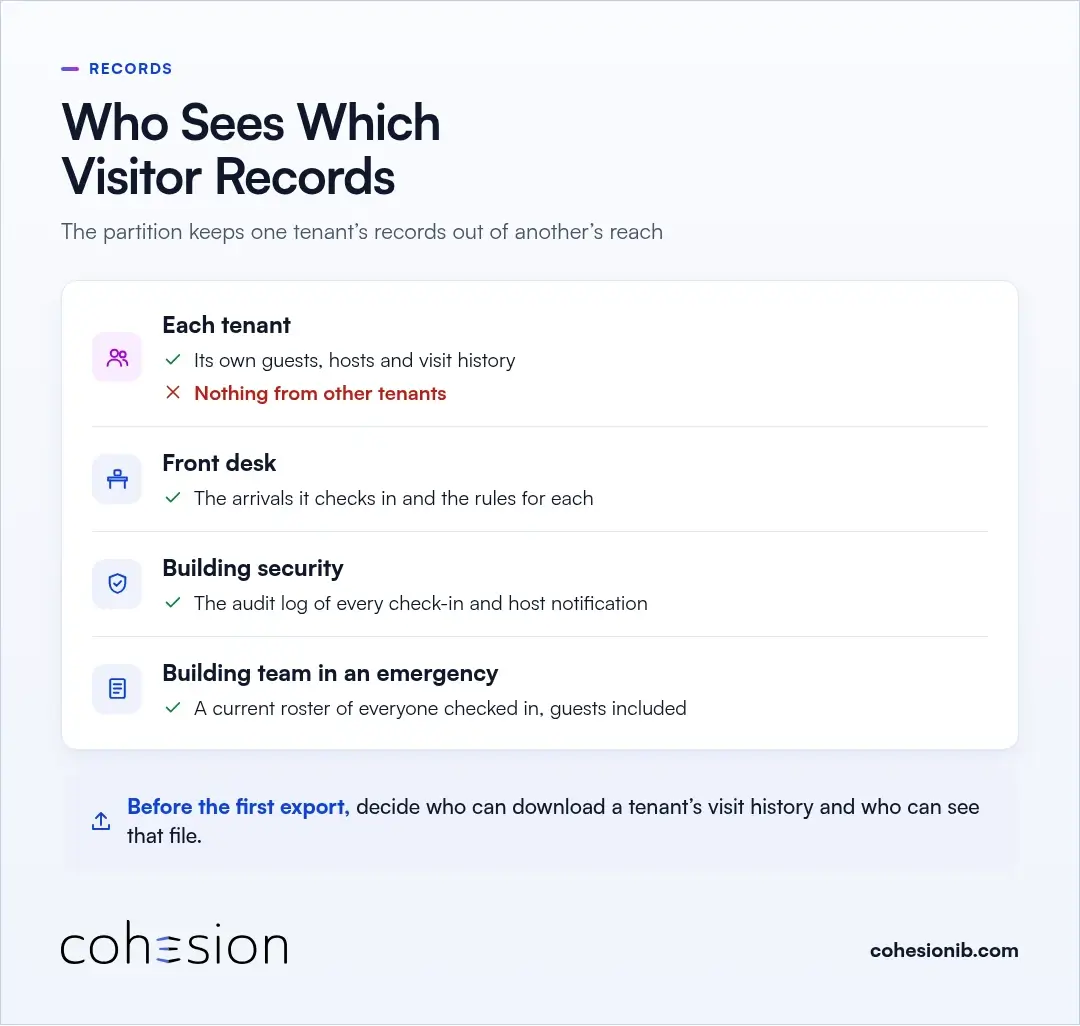
Each tenant sees its own visits, and the building team sees who checked in, when and under which rules. The partition keeps one tenant's records out of another's reach.
- Each tenant sees its own guests, hosts and visit history, and nothing from other tenants.
- The front desk sees the arrivals it checks in and the visitor type rules that apply to each.
- Building security works from the audit log, which records every check-in and host notification as it happens.
- In an emergency, the building team can pull a current roster of everyone checked in, guests included, without compiling it by hand.
The audit trail is shared by the building and the tenant, and its logs can be exported for compliance and post-incident reviews. Before the first export, decide who can download a tenant's visit history and who can see that file. Our buyer's guide includes the questions to ask about tenant separation when you're comparing systems.
Frequently asked questions
Which visitor rules does the landlord set in a multi-tenant building?
It's one of the first things worth settling, and the usual answer is the rules every visit follows in the lobby and shared areas. That typically means which visitor types exist and when an ID scan or waiver is required, while who can invite and approve each visitor type is agreed with each tenant when it's set up.
How long does it take to add a new tenant to the building's visitor system?
The good news is that a software partition skips the build. Our Smart Access page puts the software configuration at days, against up to six weeks for a physical partition. The building team creates the tenant's partition, connects the tenant's identity provider and agrees who can invite and approve, and employees can have mobile credentials before move-in day.
What happens to visitor access when a tenant moves out?
A move-out can be handled cleanly with a short checklist. The building team turns off invitations from the tenant's hosts, cancels or reassigns visits booked past the move-out date, and revokes employee credentials across the base building and the suite in one action, while passes already issued expire with their visit windows.
Can a large tenant keep its own corporate visitor management system?
A large tenant can keep its own system, and the two can work together. The landlord's system can be connected to the tenant's, so a guest's visit carries on past the boundary between the base building and the tenant's own system.
Can one tenant see another tenant's visitors?
Tenants can rest assured their guest lists stay separate. Each tenant sees only its own visitors, and the building team works from the lobby log without opening one tenant's visits to another.
See your tenant setup in a demo
We'd love to walk through your building with you. Bring your tenant list and the access control you run today, and we'll show how our visitor management system splits the base building and each tenant, with a visit invited, checked in and written to the log.